Every PBJ Plugin Now Explains Itself — Studio Sync 3.0, Google Tools in PBJ SEO, and Guided Admin Everywhere
Every PBJ plugin got a release this week, and they all share one idea: the admin should explain itself. Setup checklists that show green ticks and red triangles, numbered how-to walkthroughs, and a plain-English “what it does” line on every setting — across the whole lineup. Two releases go further: Studio Sync 3.0 rebuilds its entire admin, and PBJ SEO 3.3 builds Google Analytics and Search Console straight into WordPress.
Studio Sync 3.0 — Sync by Type and Full Copy
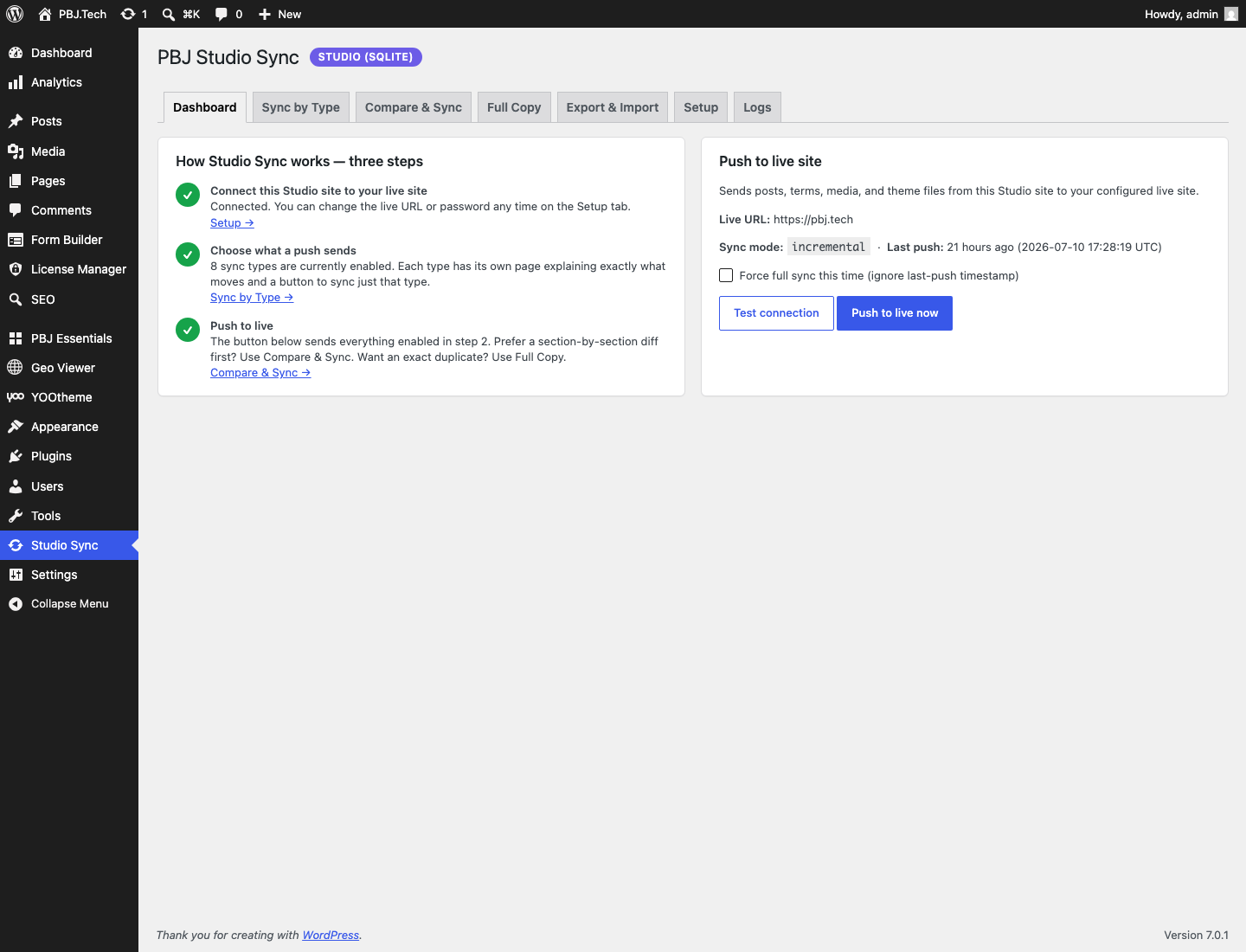
The deployment plugin’s admin is now a guided, per-sync-type UI. A new Sync by Type tab gives every sync type — Content, Media, Menus, Theme, Plugins, Site Settings, Users, Deletions — its own page that explains exactly what it moves, holds only that type’s settings, and offers a “push just this” button. A new Full Copy tab does whole-site copies in one click, both directions, behind typed confirmation phrases. The dashboard walks you through Connect → Choose → Push with live status at each step. The push engine itself didn’t change — all the 2.x safety rails are intact, and 2.x ↔ 3.0 pushes stay compatible.
PBJ SEO 3.3 — Google, built in
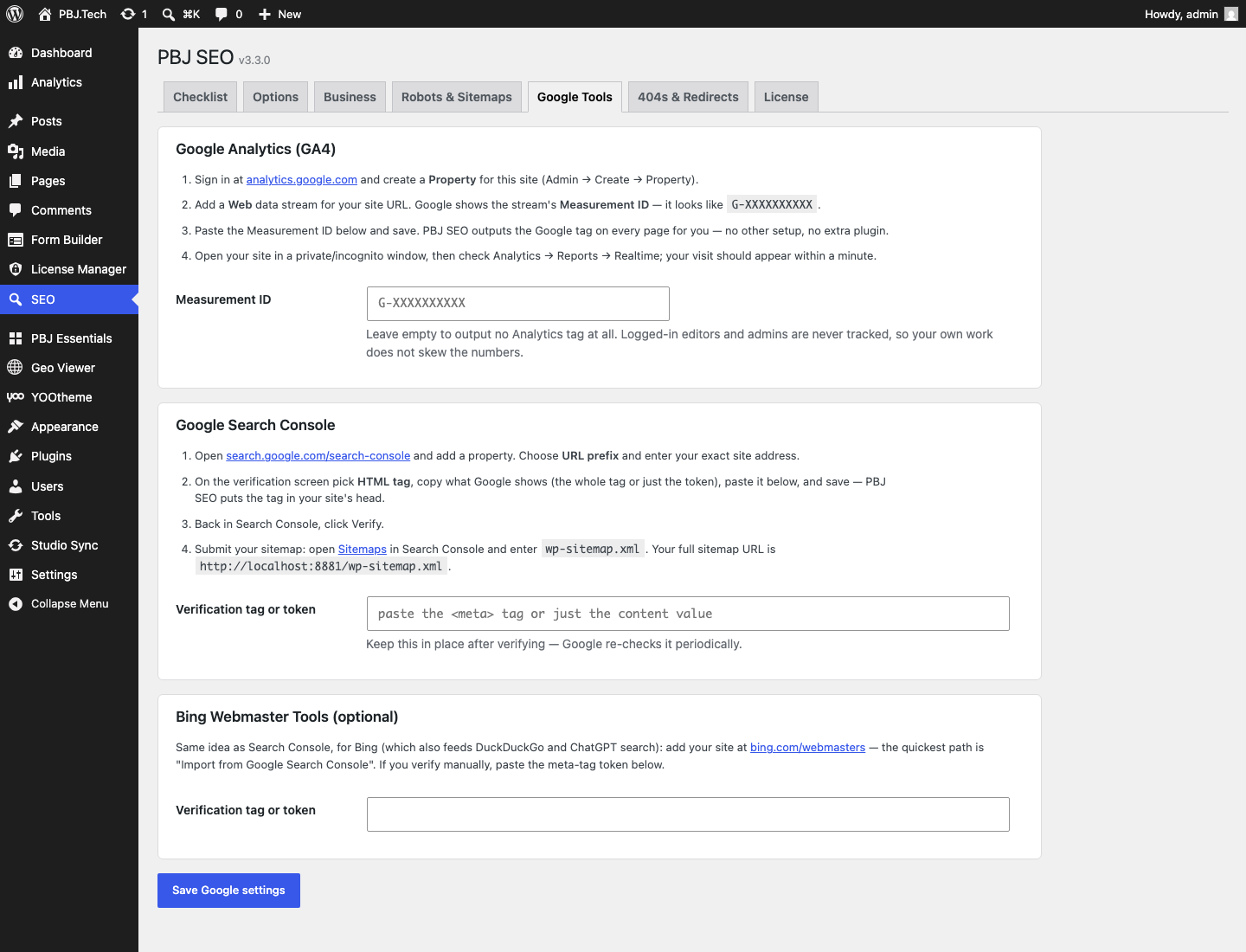
A new Google Tools tab connects your site to Google’s free tools without another plugin: paste a GA4 Measurement ID and PBJ SEO outputs the Google tag on every page (logged-in editors are never tracked), paste your Search Console token and the verification meta just appears — each with a step-by-step, plain-English walkthrough, plus a Bing field. The Robots & Sitemaps tab gains full sitemap controls (per-post-type toggles, archive toggles, exclude-by-ID) and a “Refresh sitemap now” button that rebuilds the routes and reports how many URLs crawlers currently see.
Guided admin, everywhere
- Geo Viewer 1.5.0 — Settings is now a five-step guided walkthrough: mode & countries, what view-only visitors can’t do, what they see, exemptions, and a test-your-setup diagnostics step.
- Form Builder 1.4.0 — a getting-started checklist on the Forms list and walkthroughs on every screen, including exactly where in the Square, Stripe and PayPal dashboards your credentials live.
- Analytics 1.5.0 — a live setup checklist plus a “what do these numbers mean?” legend defining sessions, bounce rate, and every other KPI.
- Access Control 2.4.0 — a setup checklist showing how many pages are restricted and how many signups await approval, with buttons straight to the fix.
- License Manager 1.2.0 — a getting-started checklist and a numbered “how selling works” walkthrough on every tab.
- Essentials 1.0.1 (free) — intros and numbered steps on every tab of the seven-module toolbox.
Every plugin’s page now also carries screenshots of the actual admin and a refreshed, fuller description — see the full plugin lineup. As always: $15 one-time for paid plugins, license keys cover updates on up to 3 sites, and a lapsed key never breaks a running plugin. Existing customers get these updates right in the WordPress updates screen.

Every PBJ plugin got a release this week, and they all share one idea: the admin should explain itself. Setup checklists that show green ticks and red triangles, numbered how-to walkthroughs, and a plain-English “what it does” line on every setting — across the whole lineup. Two releases go further: Studio Sync 3.0 rebuilds its entire admin, and PBJ SEO 3.3 builds Google Analytics and Search Console straight into WordPress.
Studio Sync 3.0 — Sync by Type and Full Copy
The deployment plugin’s admin is now a guided, per-sync-type UI. A new Sync by Type tab gives every sync type — Content, Media, Menus, Theme, Plugins, Site Settings, Users, Deletions — its own page that explains exactly what it moves, holds only that type’s settings, and offers a “push just this” button. A new Full Copy tab does whole-site copies in one click, both directions, behind typed confirmation phrases. The dashboard walks you through Connect → Choose → Push with live status at each step. The push engine itself didn’t change — all the 2.x safety rails are intact, and 2.x ↔ 3.0 pushes stay compatible.
PBJ SEO 3.3 — Google, built in
A new Google Tools tab connects your site to Google’s free tools without another plugin: paste a GA4 Measurement ID and PBJ SEO outputs the Google tag on every page (logged-in editors are never tracked), paste your Search Console token and the verification meta just appears — each with a step-by-step, plain-English walkthrough, plus a Bing field. The Robots & Sitemaps tab gains full sitemap controls (per-post-type toggles, archive toggles, exclude-by-ID) and a “Refresh sitemap now” button that rebuilds the routes and reports how many URLs crawlers currently see.
Guided admin, everywhere
- Geo Viewer 1.5.0 — Settings is now a five-step guided walkthrough: mode & countries, what view-only visitors can’t do, what they see, exemptions, and a test-your-setup diagnostics step.
- Form Builder 1.4.0 — a getting-started checklist on the Forms list and walkthroughs on every screen, including exactly where in the Square, Stripe and PayPal dashboards your credentials live.
- Analytics 1.5.0 — a live setup checklist plus a “what do these numbers mean?” legend defining sessions, bounce rate, and every other KPI.
- Access Control 2.4.0 — a setup checklist showing how many pages are restricted and how many signups await approval, with buttons straight to the fix.
- License Manager 1.2.0 — a getting-started checklist and a numbered “how selling works” walkthrough on every tab.
- Essentials 1.0.1 (free) — intros and numbered steps on every tab of the seven-module toolbox.
Every plugin’s page now also carries screenshots of the actual admin and a refreshed, fuller description — see the full plugin lineup. As always: $15 one-time for paid plugins, license keys cover updates on up to 3 sites, and a lapsed key never breaks a running plugin. Existing customers get these updates right in the WordPress updates screen.