PBJ CRM
Your customers, your email marketing, your calendar and your whole client-facing toolkit — in one plugin, on your own WordPress site. No monthly fees, no per-seat pricing, no third party holding your customer list.
$50 one-time — per major version
What it does
PBJ CRM is your customer book, calendar, email marketing and job paperwork in one plugin on your own WordPress site. Your team works in a fast portal at /crm on any computer or phone, and your customer list stays on your server instead of in someone else’s cloud.
It keeps people and businesses together, remembers every call, note and payment on the record they belong to, and is the hub the other PBJ modules plug into. You pay once, not per seat and not per month.
Features
People and businesses together
- One book for people and for businesses; a person can belong to several businesses.
- Your own custom fields, notes, tags and a full history on every record.
- Merge duplicates side by side, field by field.
- Split a mixed contact such as “Hess at Martins Juice Stand” into a business and a person, linked.
A timeline for every customer
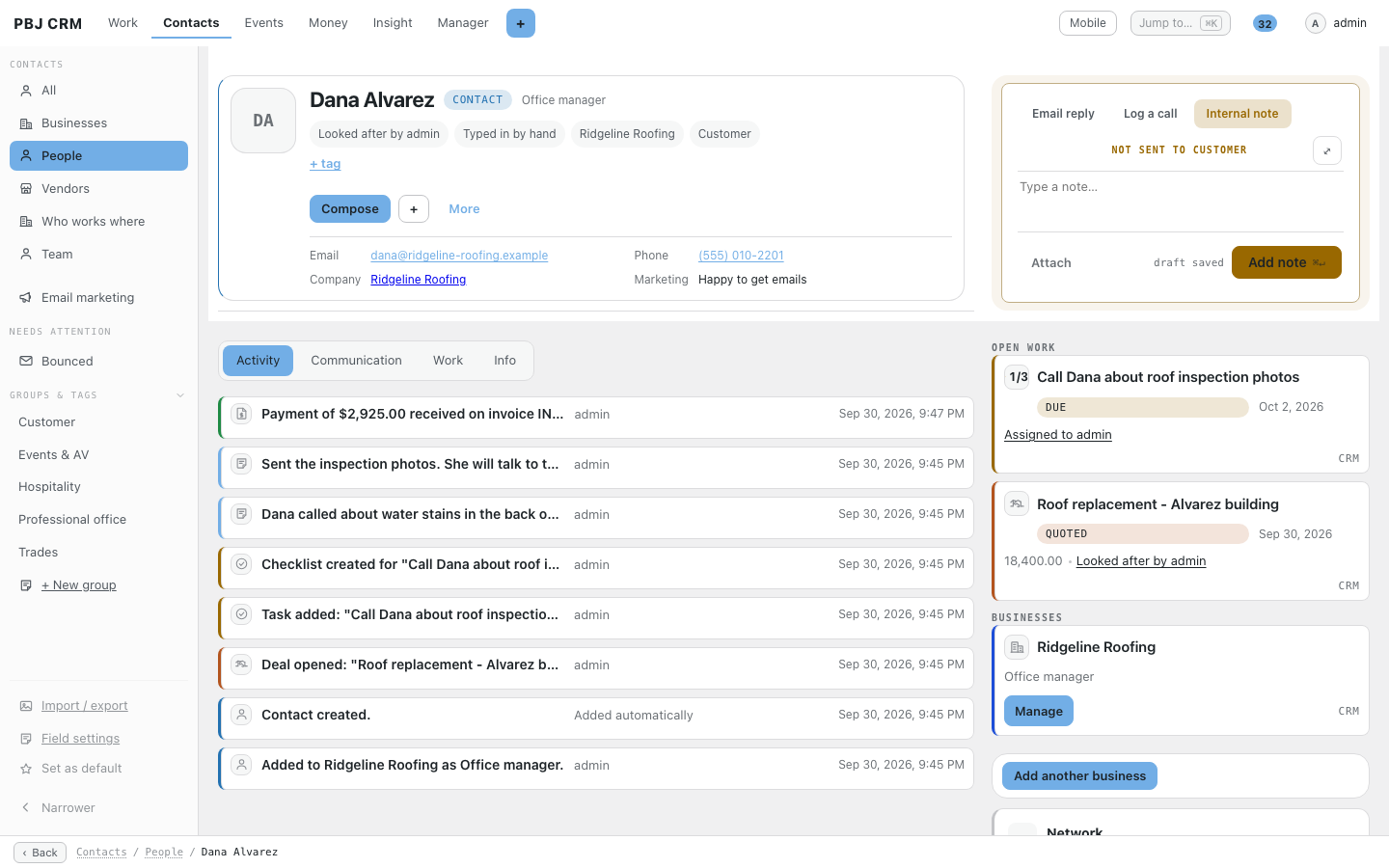
- Calls, emails, notes, tasks and payments appear on the record they belong to.
- Internal notes that never go to the customer.
- Open work shown beside the person so nothing is forgotten.
- Each person sees only the records they are allowed to open.
Job photos and paperwork
- Take photos on your phone and tap a label such as Before, After or Receipt.
- Large videos upload in pieces, so a patchy signal does not lose them.
- Files stay in a private folder, not the public Media Library.
- A per-file “Share with customer” switch, off by default.
Imports that ask first
- Bring contacts in from Square, Google Contacts, Microsoft 365 or any spreadsheet.
- Matches with people you already have wait for your approval.
- Two-way sync only writes changes you have approved, and never syncs deletes.
Email marketing from your own mailbox
- Write campaigns in the normal WordPress editor with starter templates.
- Send as a steady drip you set between 10 and 50 emails an hour.
- Open and click tracking, one-click unsubscribe and a suppression list.
- Consent is recorded and the postal footer is added to every send.
Business email connected once
- Add a mailbox with a password or Sign in with Google or Microsoft.
- The same connection sends campaigns, invoices and helpdesk replies.
- One Connected accounts screen shows a green, amber or red light for each account.
Calendar, tasks and deals
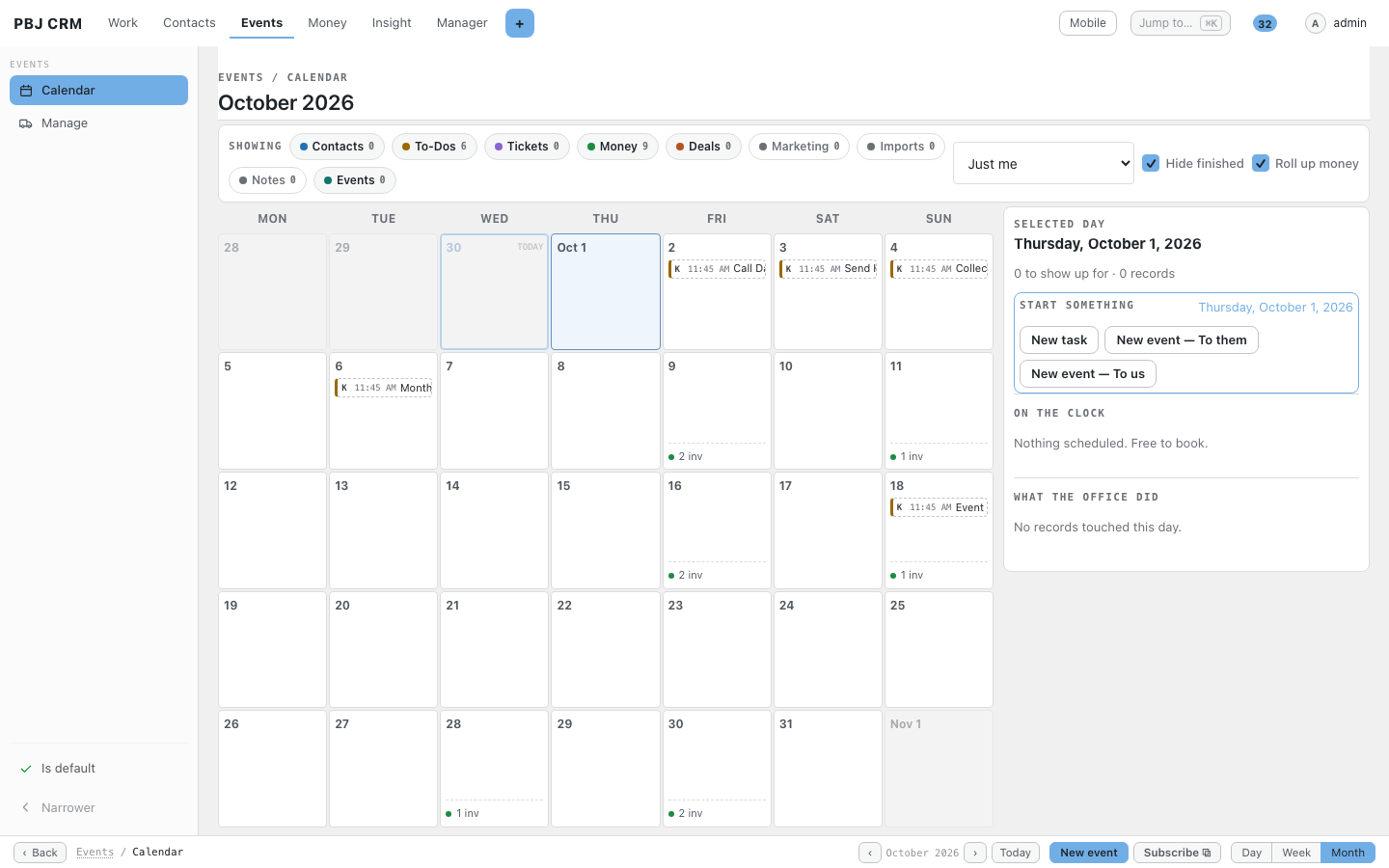
- One calendar for events, to-dos, deals and invoice due dates.
- Tasks with tick-off checklists that can repeat daily, weekly or monthly.
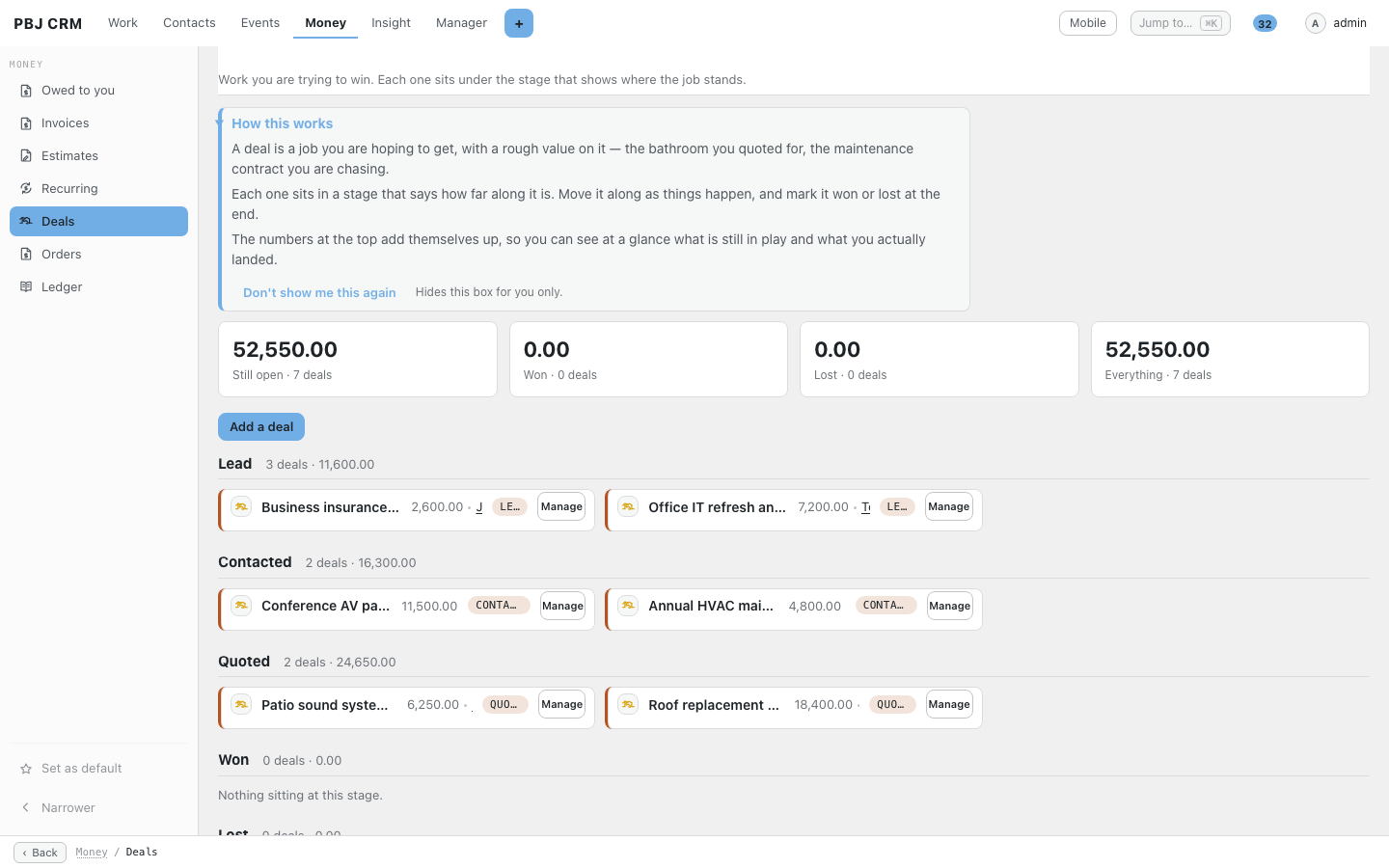
- A deals pipeline with stages you choose, from Lead to Won.
Reports and safe deleting
- Plain-table reports on contacts, campaigns, deals and tasks, with CSV export.
- Everything you delete waits 30 days in a recycle bin.
- A bulk manager to filter, edit, export and merge your whole book.
- Privacy export and erase tools wired into WordPress.
Your team, your rules
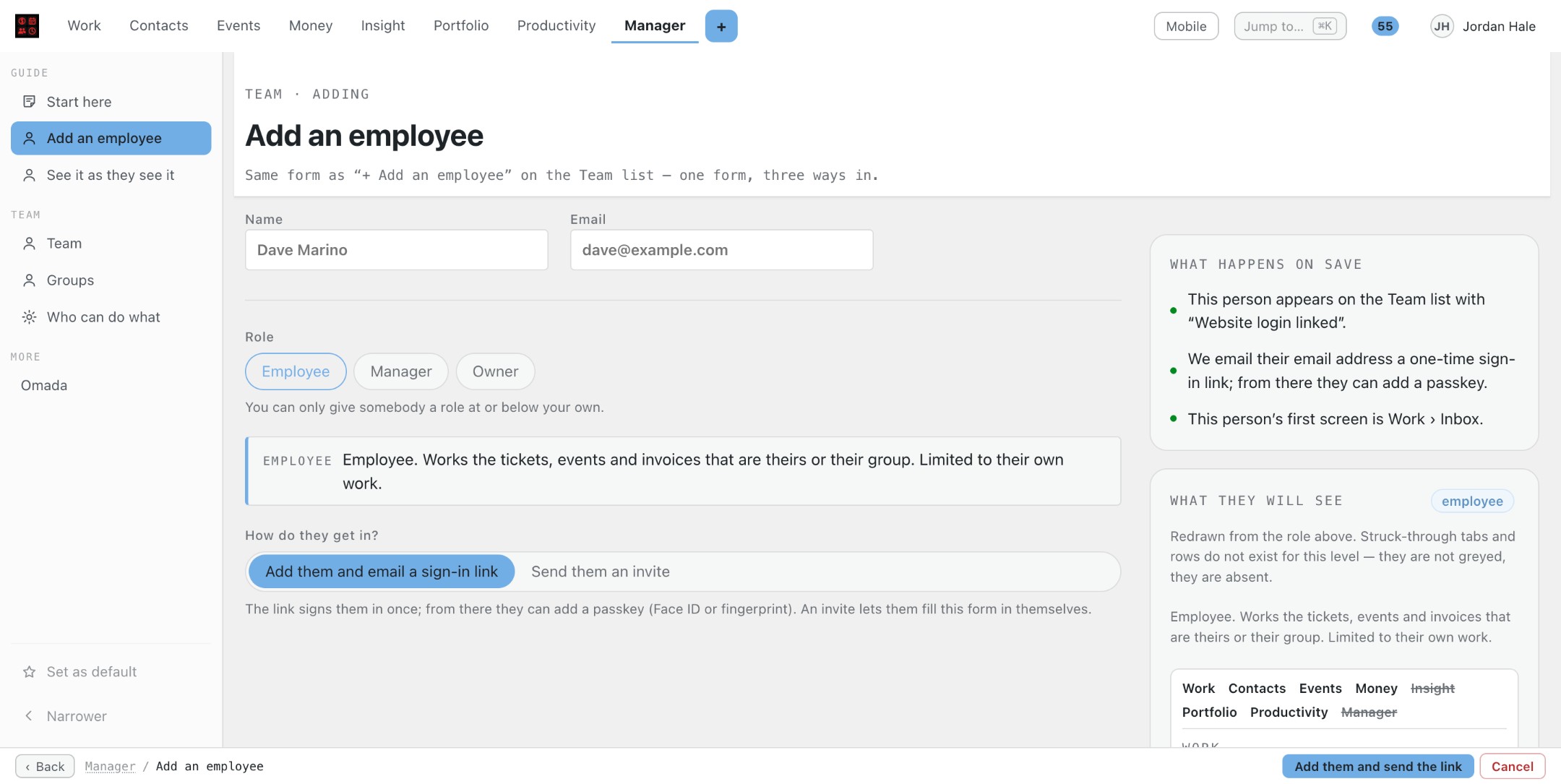
- Three staff levels: employee, manager and owner, plus groups.
- Employees see their own records, managers their team’s, owners everything.
- Four theme presets and your accent colour; every PBJ module follows them.
Projects and Portfolio
- Projects group the tasks you already have, with milestones, so a whole job is one page.
- A Portfolio tab in the top bar opens your Projects from one place.
- Clients can see the projects you share with them in their portal.
A workspace that stays put
- Every page title and its filters stay pinned while you scroll.
- Create, export and save buttons all sit in the bottom bar, docked at the foot on a phone.
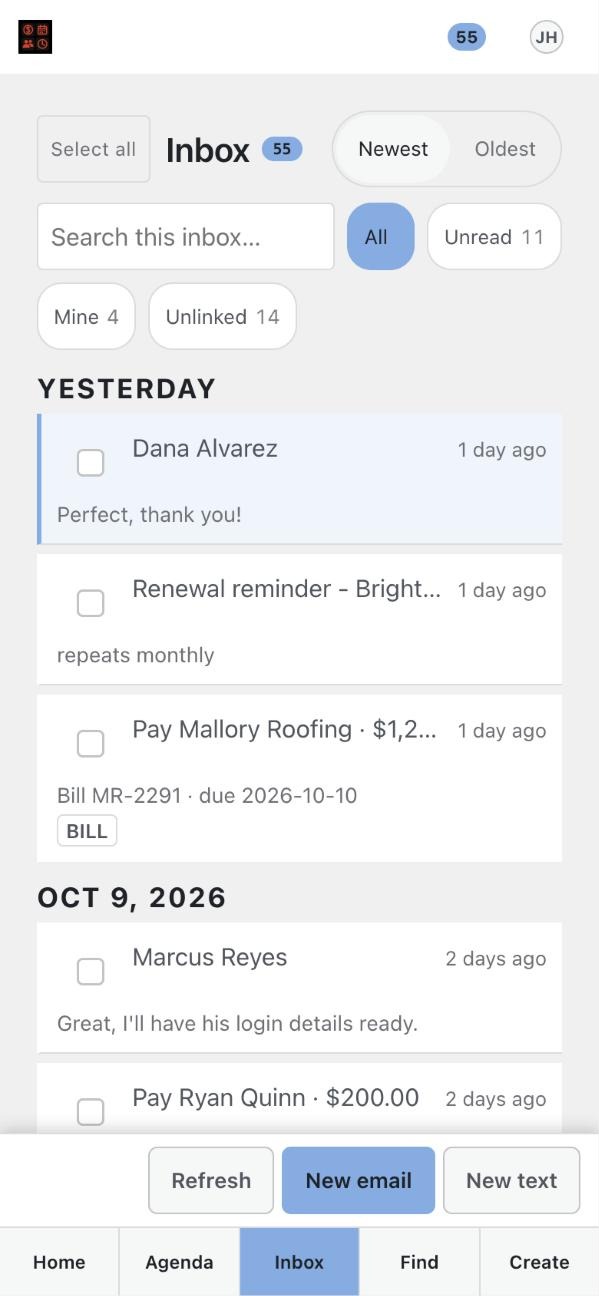
- The inbox’s Refresh, New email and New text buttons are in the bottom bar too.
- Every side-rail row has its own icon.
Ledger, vendors and tidy groups
- With PBJ Ledger installed, Ledger sits under Money and Vendors is a row in Contacts.
- The Groups & tags heading in the Contacts rail folds shut, and stays that way for you.
- Old links keep working; nothing moves addresses.
Screenshots
Real screens from PBJ CRM with sample customers. Names, emails and phone numbers are made up.
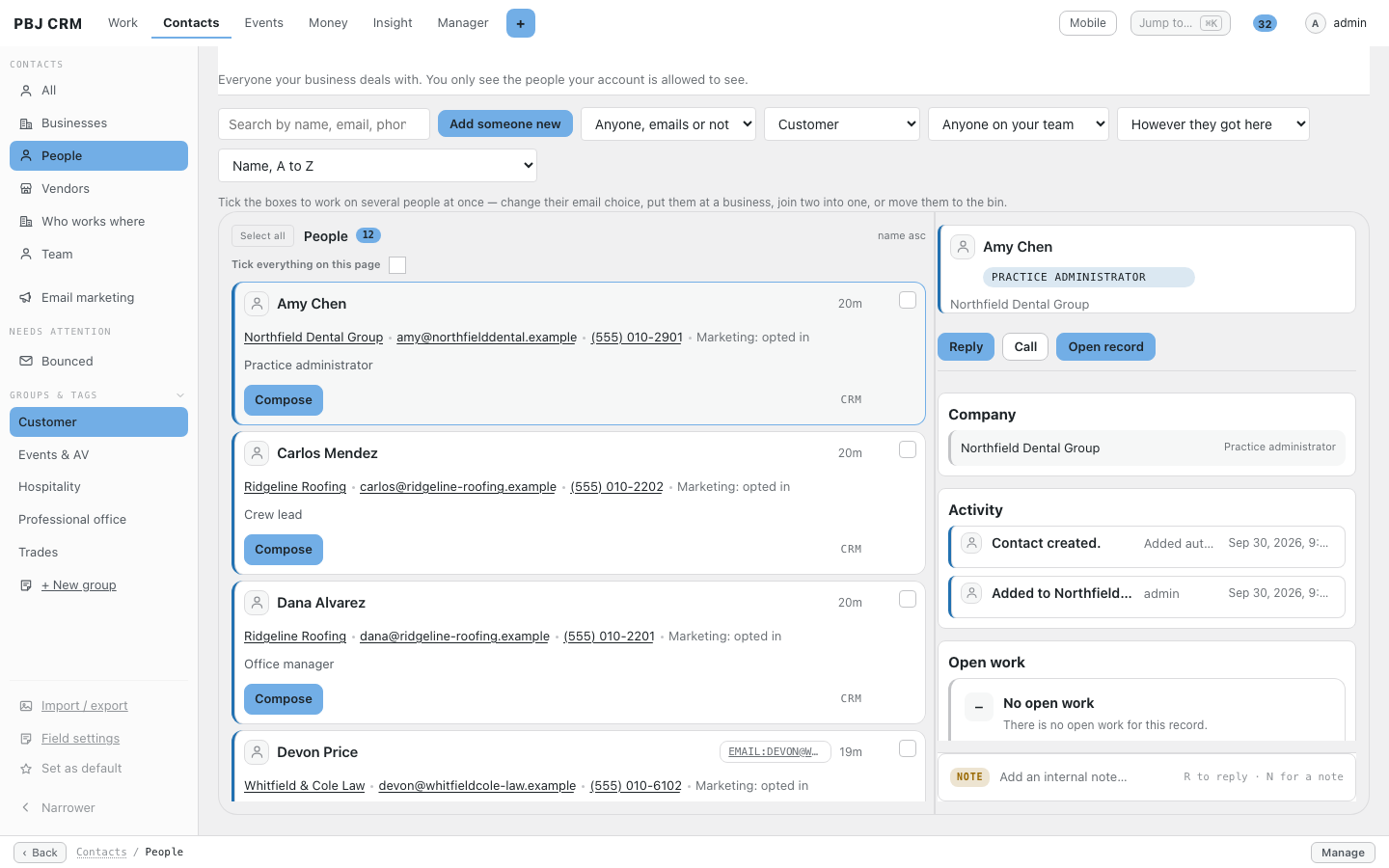
Everyone in one list: filter by group, then preview a person without leaving the page.
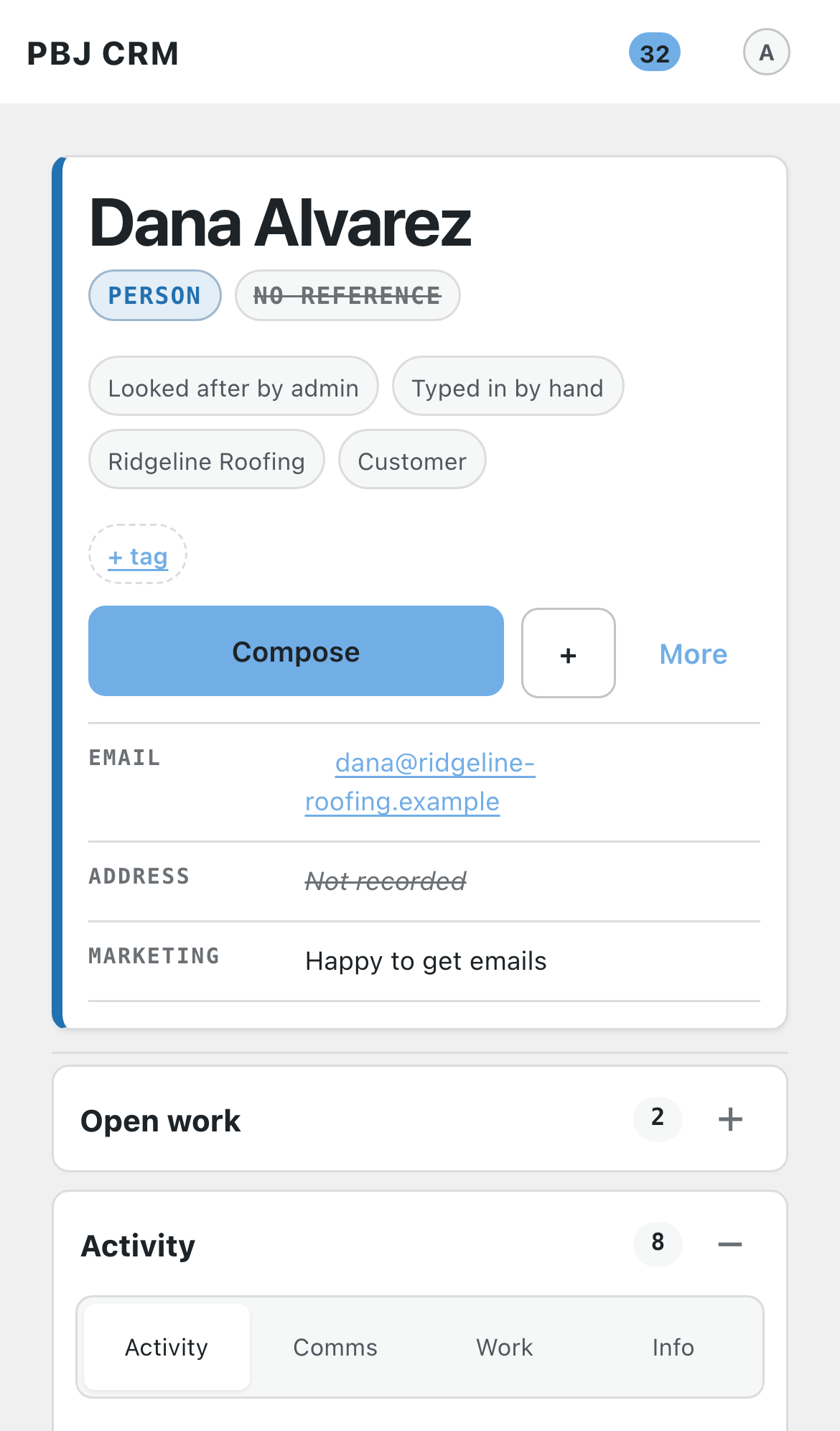
A contact record: every call, note, payment and task in one timeline.
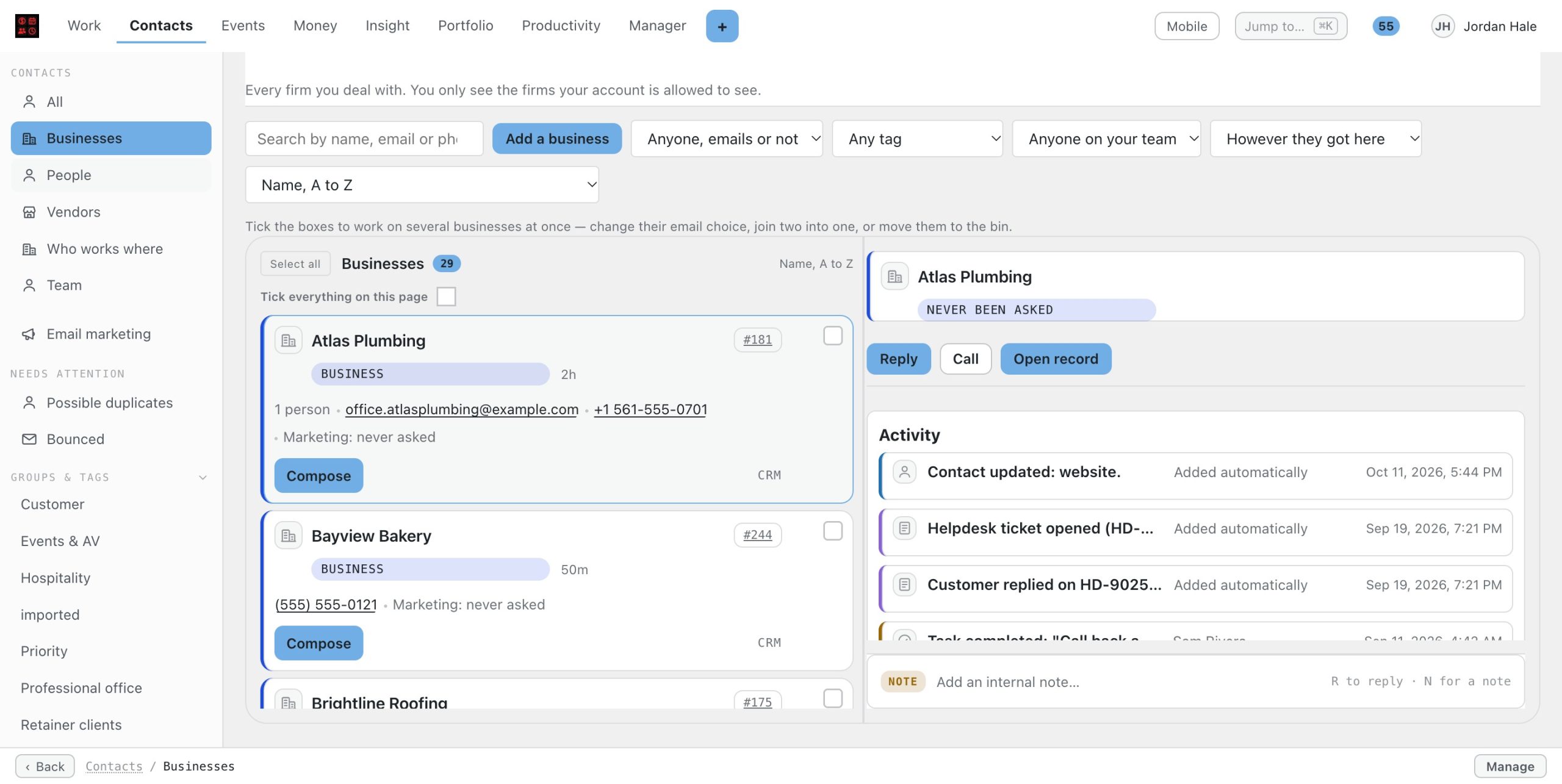
A business record keeps its people and history together.
One calendar for events, to-dos and money due dates.
Deals grouped by stage, so you can see what is likely to close.
Tasks with checklists, owners, due dates and repeats.
The same record on a phone.
How it helps your business
Five everyday examples, step by step. Your own business will look different, but the pattern is the same.
Trades and field service
A homeowner calls about water stains, so you add her as a contact and open a deal called “Roof replacement”. You book the inspection on the calendar, then take before photos on your phone and label them so they file on her record. When the quote is accepted you move the deal along, and a repeating task reminds you to call back in a year.
Managed IT and tech support
Each client company is a business record with its staff linked underneath it. You create a repeating task with a checklist for the monthly patch window, and tick off backups, updates and the summary email as you go. Every call and note lands on the timeline, so whoever picks up the phone next sees the history.
Hospitality and venues
A bar owner, the events manager and the bookkeeper are three people on one business record. You tag them, send the monthly specials as a campaign through your own mailbox, and watch who opens it. A deal for a private party moves from Lead to Quoted, and its due dates show on the shared calendar.
Professional offices
A new client arrives as one contact that is really a firm and a partner, so you split it into a business and a person. Notes about the engagement stay internal, and the partner’s assistant is added as a second person. Staff levels keep each attorney or accountant to their own clients while the owner sees everything.
AV, music and events production
Each venue is a business with a contact for every room. You log a deal for a wedding sound package, put the load-in on the calendar and file site photos and the signed work order on the record. After the event a campaign thanks everyone and offers the next date.
Works with the rest of the PBJ suite
PBJ CRM is the hub of the whole PBJ client suite. Add the modules you need, each $25 one-time per major version:
PBJ Helpdesk — $25 — tickets, a real mail-to-ticket inbox, SLAs and a client portal, run by your CRM staff.
PBJ Invoicing — $25 — estimates, invoices, card payments and repeat billing for the people already in your book.
PBJ Vault — $25 — an encrypted vault for door codes, network details and license keys, pinned to your clients.
PBJ Dispatch & Appointments — $25 — book visits and appointments and work them through to done, with reminders and calendar invites.
PBJ RingCentral — $25 — your RingCentral texts, calls and voicemail beside the customer they belong to.
PBJ Templates — $25 — one drag-and-drop designer for your marketing emails, automatic notices, invoice layouts, signatures and documents a client signs.
PBJ Omada — $25 — your clients’ TP-Link Omada network alerts, device status and auto-opened Help Desk tickets on their CRM record.
One-time pricing, spelled out
PBJ CRM is $50, one time, per major version. You are buying this major version: every improvement within it — new features, fixes, security updates — arrives free through the built-in update channel, straight to your WordPress updates screen. When a future major version comes out, that is a separate purchase if you want it — your copy keeps working either way, forever. One license key covers 3 sites. No seats, no subscription, no monthly rent.
Using it
Install: Plugins → Add New → Upload → pbj-crm.zip → Activate. Activation creates the portal pages (yoursite.com/crm). Then open Settings → Setup checklist inside the portal and work through the setup items for your site: your team, who sees what, connected accounts, your postal address for campaign email and your theme.
Getting your customers in: open Settings → Imports in the portal. Square needs one access token; Google and Microsoft use "Sign in with" buttons; CSV works with any spreadsheet export. Each card carries its own numbered walkthrough.
Day to day: your team works at /crm — each person chooses the screen they land on, with People, Businesses, Tasks, Campaigns and Reports in the side rail. On a phone the bottom bar is Home · Agenda · Inbox · Find · Create. Enter a license key under Settings to receive updates.
Buy PBJ CRM
$50 one-time — per major version Includes a license key for 3 sites, instant download, and free updates within this major version.