PBJ Invoicing

Estimates, invoices, card payments and repeat billing for the people already in your CRM — on your own site, under your own domain, with your own branding.

$25 one-time — per major version   Requires PBJ CRM 7.44+

What it does

PBJ Invoicing writes estimates and invoices for the customers already in PBJ CRM and lets them pay online. Each document gets its own private page on your site, with a PDF and a Pay button, so there is no second customer list to keep up to date.

It tracks who has paid and who is late, repeats the bills you send every month, and brings the money into your own payment accounts.

Features

Bill the people already in your book

  • Every estimate and invoice is for a person or a business in PBJ CRM.
  • Bill a business and name the person at it who the document is for.
  • No retyping, exporting or syncing between two lists.

Estimates that become invoices

  • Send an estimate; your customer accepts or declines on their page.
  • Acceptance turns it into the real invoice.
  • Ask for a deposit, even on only the lines you tick.

A page your customer can use

  • Each document has its own address on your site that needs no login.
  • The page shows the invoice, a PDF to print, your notes and terms.
  • A PAID stamp appears once it is settled, and a Pay button until then.

Online and manual payments

  • Square, PayPal and Stripe hosted checkout.
  • The payment is recorded even if your customer closes the tab, and a receipt goes out.
  • Cheque, bank transfer and cash as methods you define.

Lines and totals that add up

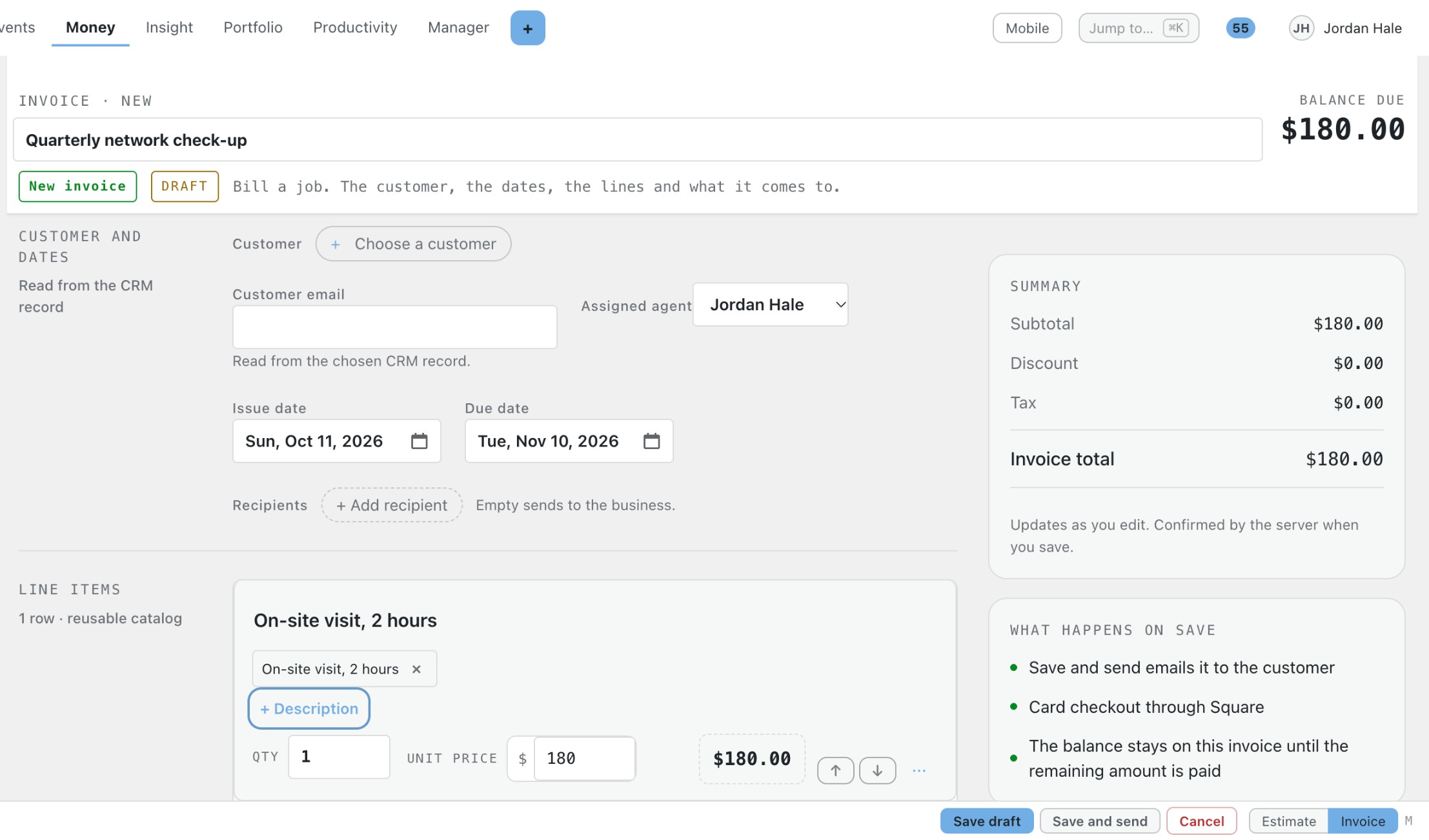
  • Add items from a catalog or type your own.
  • Subtotal, discount, tax, deposit and balance update as you edit.
  • Save lines you use often for yourself or the whole team.

Repeat billing and reminders

  • Recurring profiles for work you bill every month or year.
  • Reminders for unpaid invoices and optional late fees.
  • Each reminder is recorded on the invoice.

Who owes you money

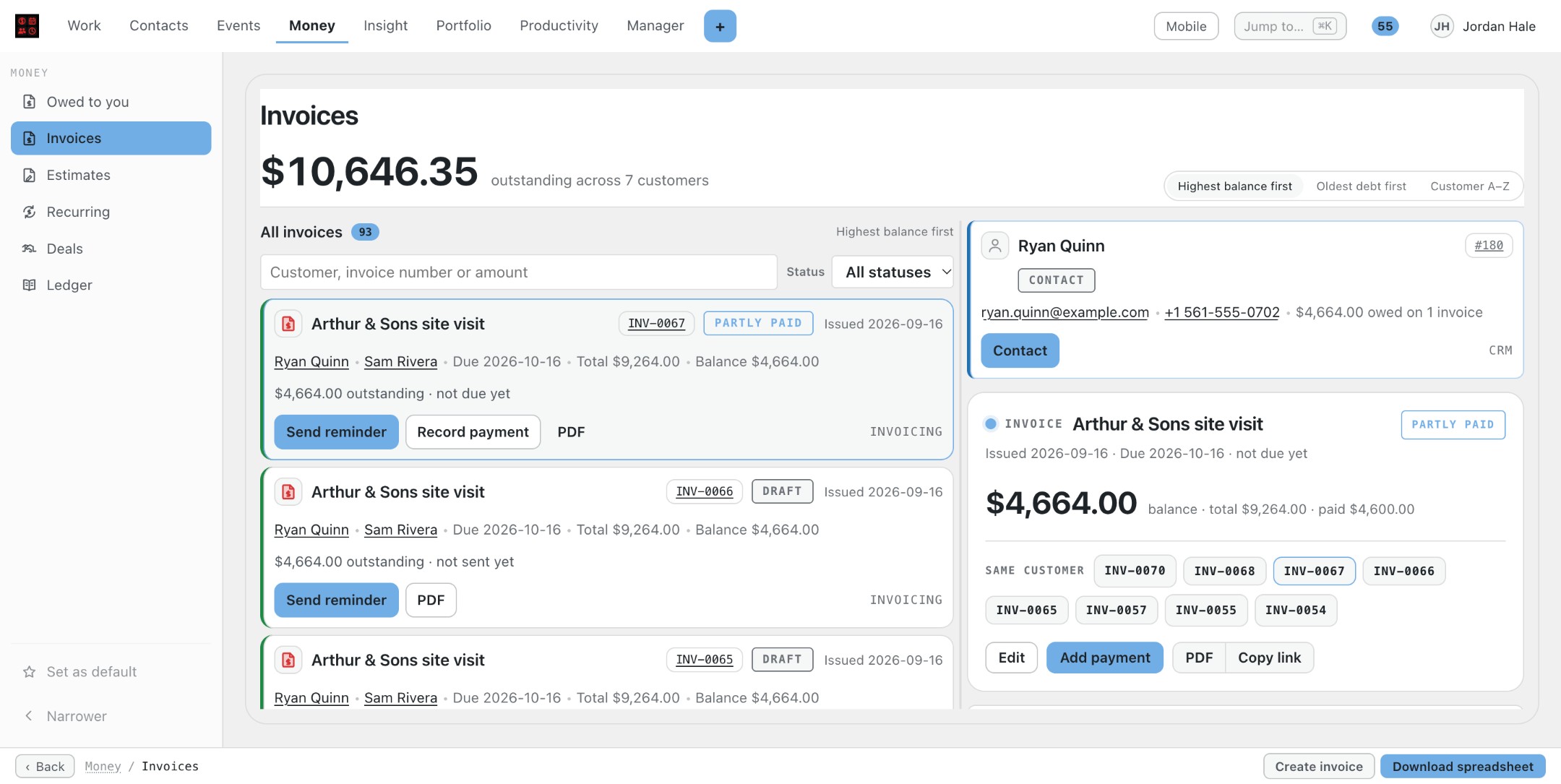
  • A Money owed page grouped by how late each amount is.
  • Customer-by-customer totals with the invoices behind them.
  • Download a spreadsheet of what you are owed.

Your branding, your accounts

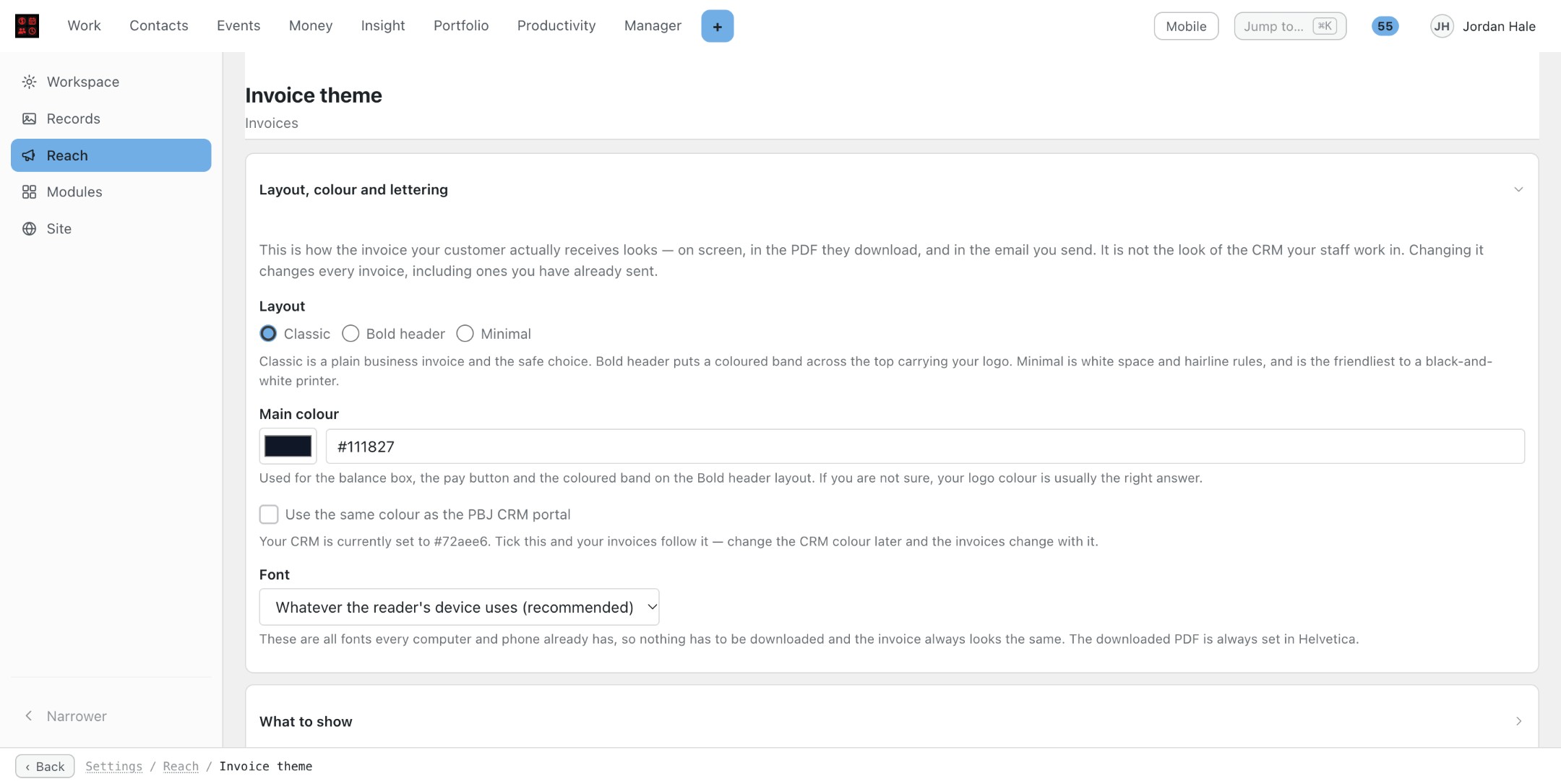
  • Pages, emails and PDFs follow your theme and logo.
  • Payment accounts are connected once in PBJ CRM and used here.
  • Filters for Draft, Unpaid, Partly paid, Paid and Voided.

Screenshots

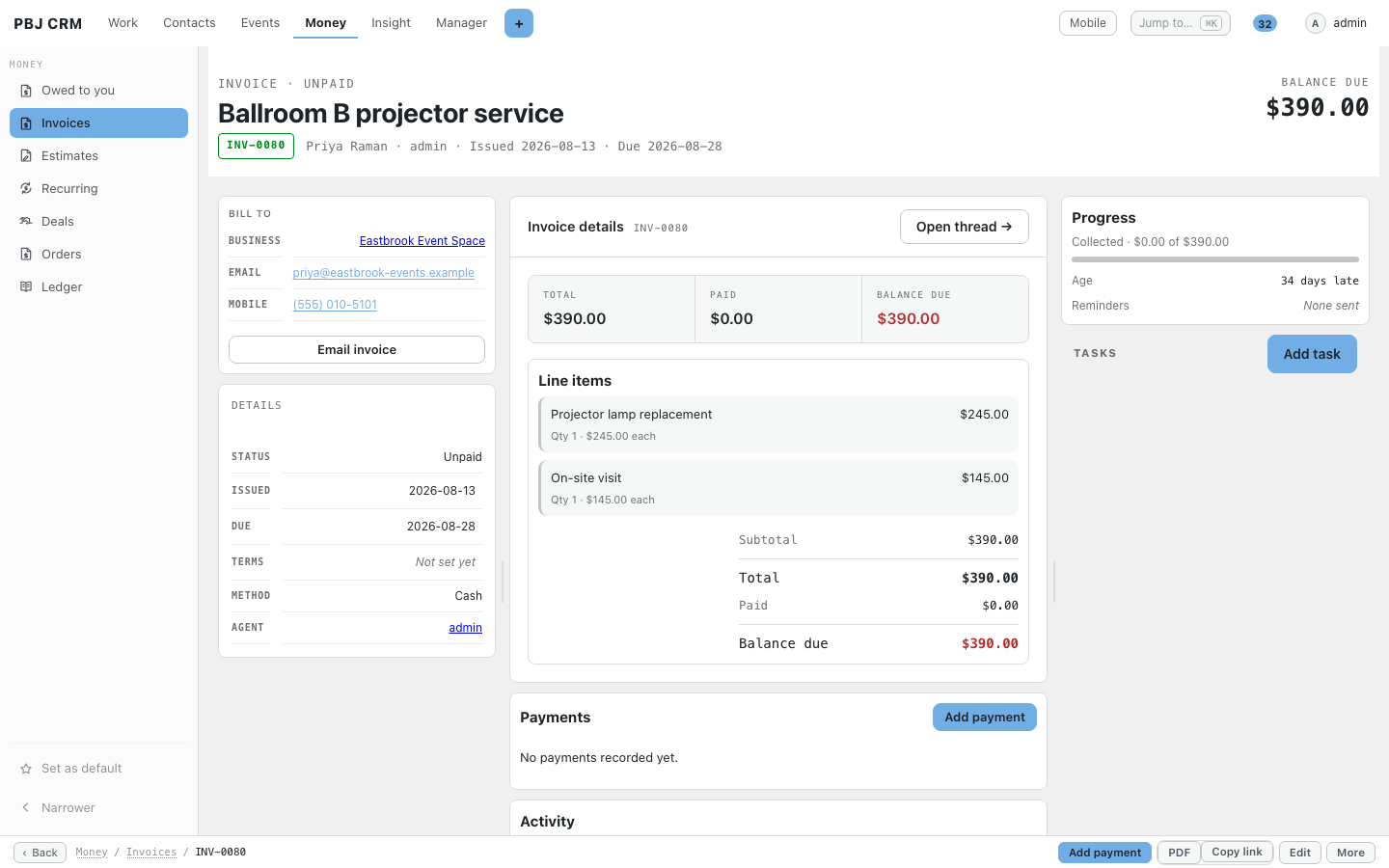
Real screens from PBJ CRM with sample customers. Names, emails and phone numbers are made up.

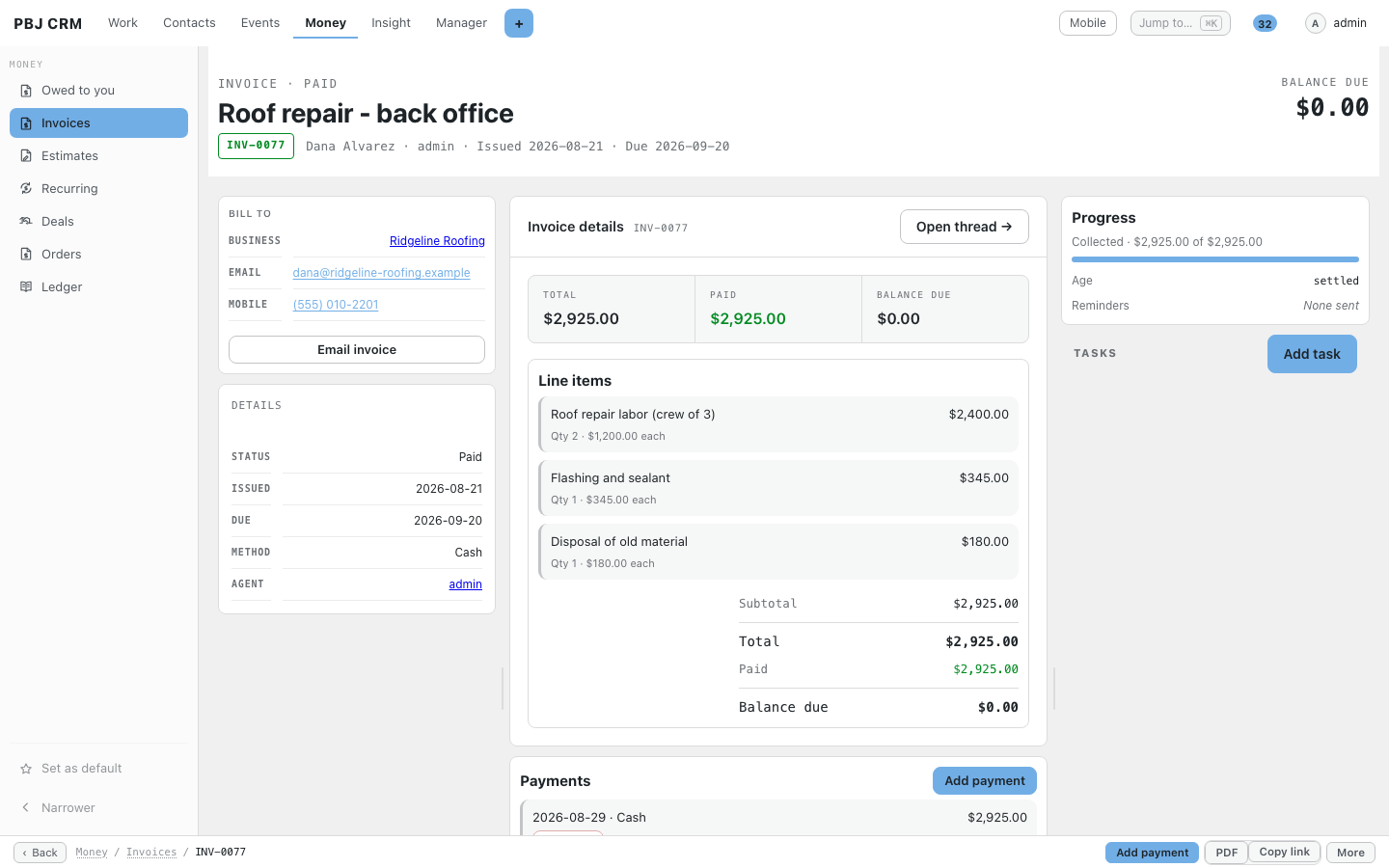
A PBJ Invoicing invoice showing line items, balance due and customer details

An invoice with line items, balance and payments.
The PBJ Invoicing money owed report broken down by customer

A report of who owes you, by customer.

The PBJ Invoicing money owed page with amounts grouped by how late they are

Money owed, grouped by how late it is.

A paid PBJ Invoicing invoice with its payment history

Paid invoices keep their payment history.
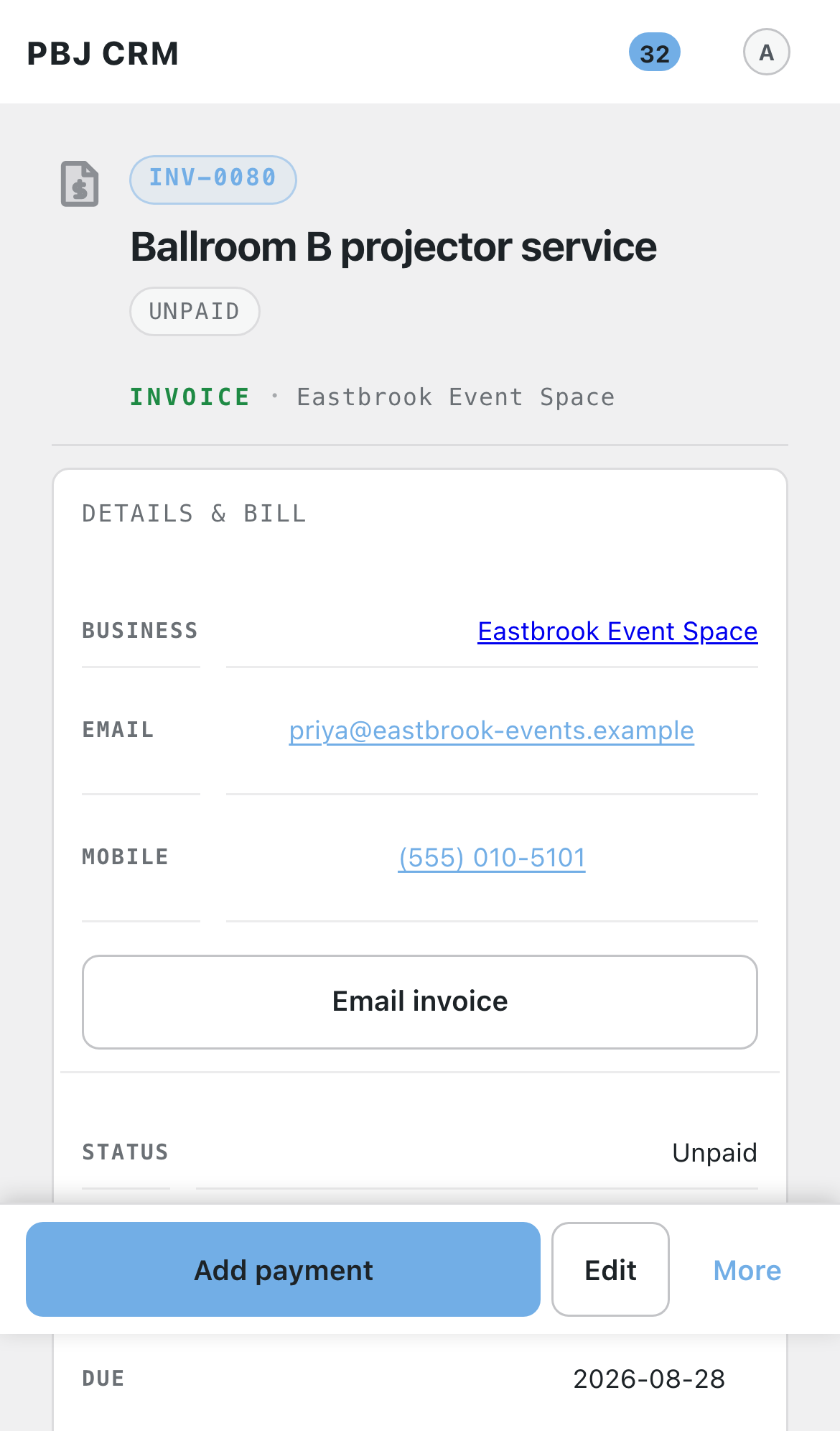
A PBJ Invoicing invoice on a phone with an Add payment button

Record a payment from your phone.

How it helps your business

Five everyday examples, step by step. Your own business will look different, but the pattern is the same.

Trades and field service

After the roof inspection you build an estimate from your saved lines for labour, flashing and disposal, and ask for a deposit. The homeowner opens her private page and accepts it, and the estimate becomes the invoice. You record the deposit when it arrives, and when the work is finished she pays the balance from her phone.

Managed IT and tech support

Set up a recurring profile for each client’s monthly support plan. The invoice is created on schedule, the client pays by card from the link, and a receipt goes out. The Money owed page shows who is 30 or 60 days late, and one click sends the reminder.

Hospitality and venues

A bar’s projector repair is invoiced to the business, with the manager named as the contact. If the bill is not paid, it appears under 1 to 30 days late on the Money owed page. You send a reminder, and later record the cash payment that was handed over at the bar.

Professional offices

A firm gets an estimate for a new phone system, accepts it online, and a deposit is requested on only the equipment lines. Invoices follow with your notes and terms printed on them. Because you bill the business and name the person, the right partner receives each one.

AV, music and events production

A wedding sound package is quoted as an estimate with a deposit due now and the rest due on completion. The couple accept it online, you take the deposit, and on the night the final invoice is already waiting. The paid invoice keeps its payment history for your books.

Works with

PBJ Invoicing is a module of PBJ CRM and needs it installed. It shares the CRM’s staff, customers, connected mailboxes and theme, so nothing is set up twice. These other PBJ modules also need PBJ CRM and sit alongside it:

PBJ Helpdesk — mail-to-ticket support with response targets and a client portal.
PBJ Invoicing — estimates, invoices, card payments and repeat billing.
PBJ Vault — an encrypted cabinet for door codes, network details and licence keys.
PBJ Dispatch & Appointments — book visits and appointments and work them through to done.
PBJ RingCentral — your RingCentral texts, calls and voicemail beside the customer.
PBJ Templates — one designer for emails, notices, invoice layouts and documents to sign.
PBJ Omada — TP-Link Omada network alerts, device status and Help Desk tickets on the client record.

One-time pricing, spelled out

PBJ Invoicing is $25, one time, per major version. You are buying this major version: every improvement within it arrives free through the built-in update channel. A future major version is a separate purchase if you want it — your copy keeps working either way. One license key covers 3 sites.

Requires PBJ CRM 7.44 or newer ($50, sold separately). Invoicing bills the people already in your CRM through the payment accounts already connected there.

Using it

Install: install and activate PBJ CRM first, then upload pbj-invoicing.zip and activate. A short setup wizard collects your business details, numbering and payment options; settings live under PBJ CRM → Modules → Invoices.

Take card payments: connect Square, PayPal or Stripe once in PBJ CRM → Connected accounts (each card has a step-by-step guide, including the webhook address to give the payment company).

Day to day: raise documents from the CRM portal’s Invoices & Orders tab; your customer gets a link; the money and the paper trail take care of themselves. Enter your license key under Settings for updates.

Buy PBJ Invoicing

$25 one-time — per major version   Includes a license key for 3 sites, instant download, and free updates within this major version. Requires PBJ CRM 7.44 or newer.

Secure one-time purchase of PBJ Invoicing for $25 USD. One-time payment per major version — every update within this major version is free through the built-in updater, and your license key covers 3 sites. Requires PBJ CRM 7.44 or newer. Pay by card below; your download link and license key are emailed and shown instantly.

Amount: 25.00 USD