PBJ Templates
Write your emails, invoices and contracts once, and let the CRM fill them in.
Stop retyping the same email, invoice header and contract every week, and stop sending emails that start ‘Hi ,’. Build each one once; PBJ CRM fills in the customer.
$25 one-time per major version · One key covers 3 sites · Requires PBJ CRM (latest version) ($50)
What it does
Every message, one place
Marketing emails, automatic notices, invoice layouts, signatures and letters, built in one library.
Customer details fill themselves
Names, companies and amounts drop in from your CRM records, with a fallback so nobody gets ‘Hi ,’.
Contracts signed on a phone
Send a document to sign from the customer’s record; they sign with a finger and the signed PDF is filed back to them.
Pay once. Own it.
No subscription
$25 one-time per major version for Templates, $50 one-time per major version for the CRM it plugs into. Updates are free for the whole major version.
Three sites, one key
Use it on your own site and two more, such as a second brand or a client you set up.
Your customers stay on your server
Templates runs inside PBJ CRM on your own WordPress site, so the customer details it fills in never leave it.
How it fits PBJ CRM
PBJ Templates is a module, not a standalone plugin. It adds a Templates library and a drag-and-drop designer to your PBJ CRM portal. Everything it fills in comes from the CRM you already run.
Templates adds
- The template library (seven kinds)
- The drag-and-drop designer
- Customer-field merge with fallbacks
- Previews on computer, phone and dark mode
- Invoice and estimate layouts
- Team signatures and letters
- Documents to sign
PBJ CRM supplies
- Your people and businesses
- Staff profiles and groups (who may edit)
- Customer files and photos
- The connected mailbox that sends
- Marketing campaigns, lists and tags
Switch a template back to draft, or remove the module, and the CRM sends exactly as it did before.
See it in two minutes
From blank page to sent
Drag, drop, done
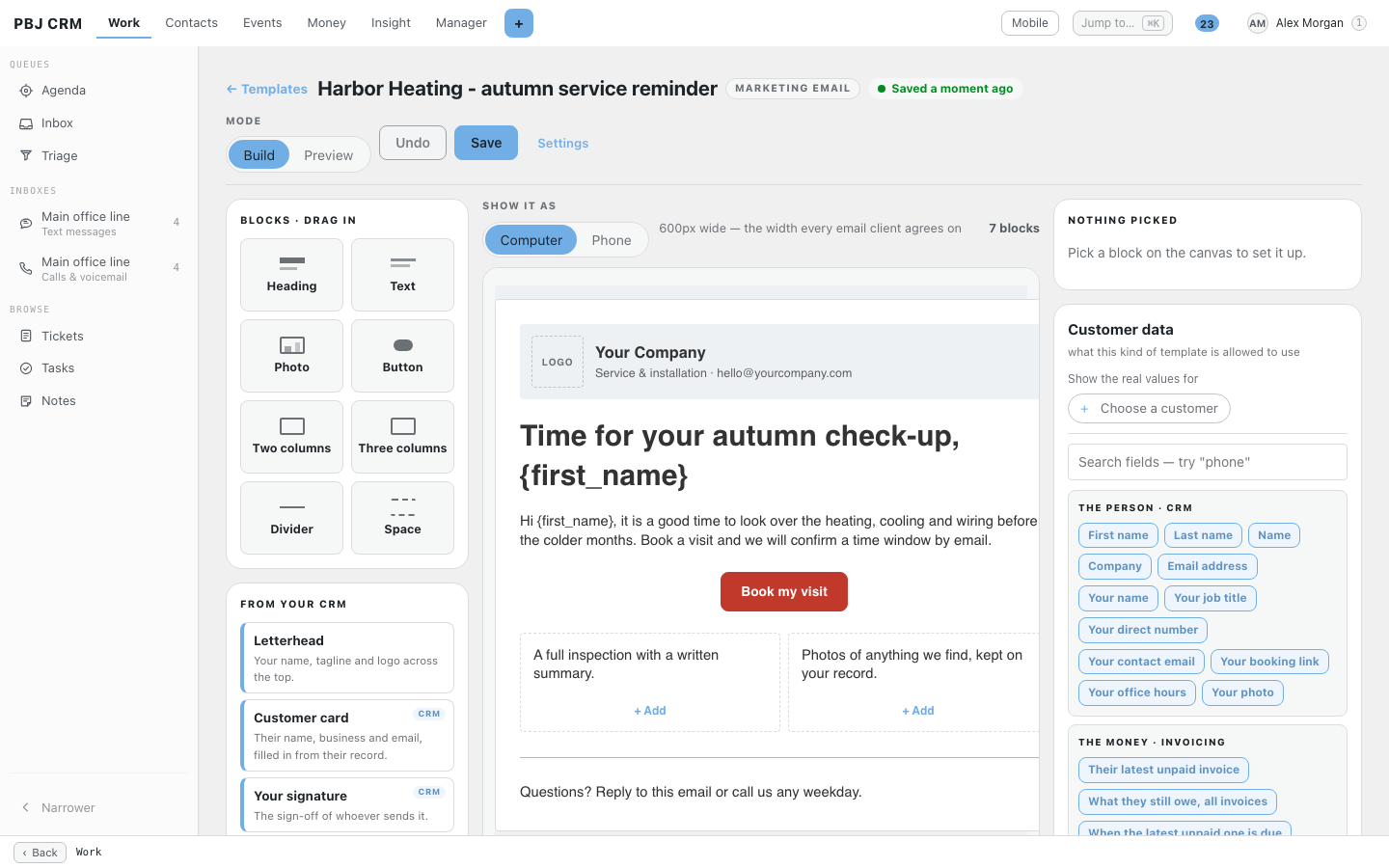
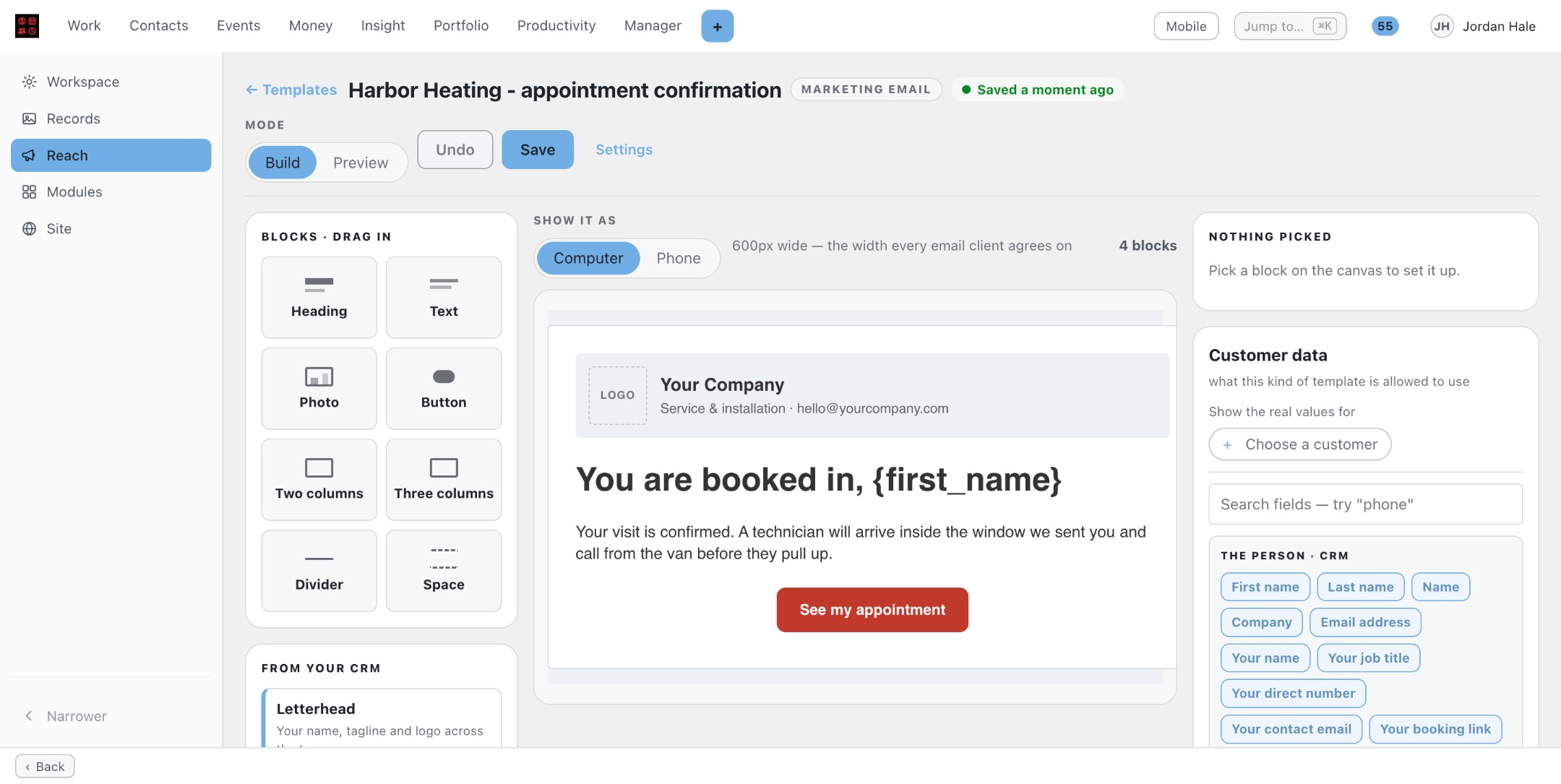
Open a template and you get a canvas. Drag in headings, text, photos, buttons, columns and your letterhead. It builds the table-based email that Outlook and phones display, plus a plain-text version, and saves as you work.
Customer details fill themselves
Click a customer field, or type two curly brackets to search. For each one, choose what shows when the record is empty. Pick a real customer to see the actual values.
See it on every screen
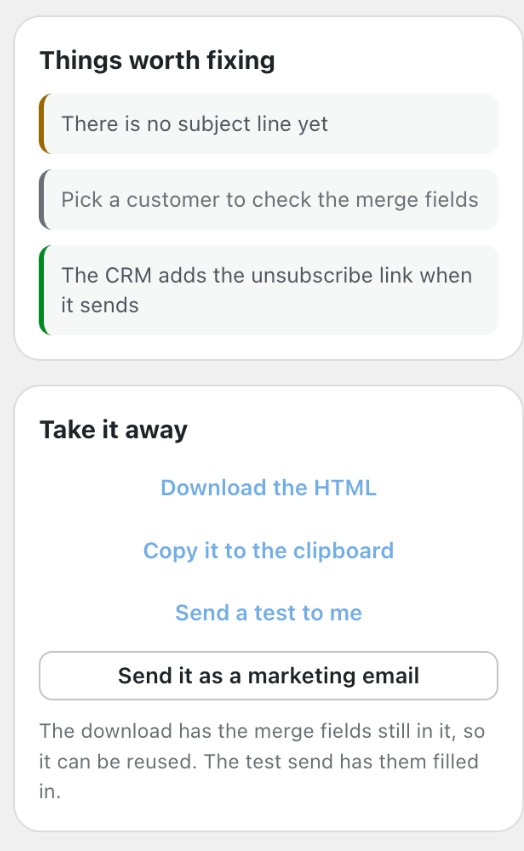
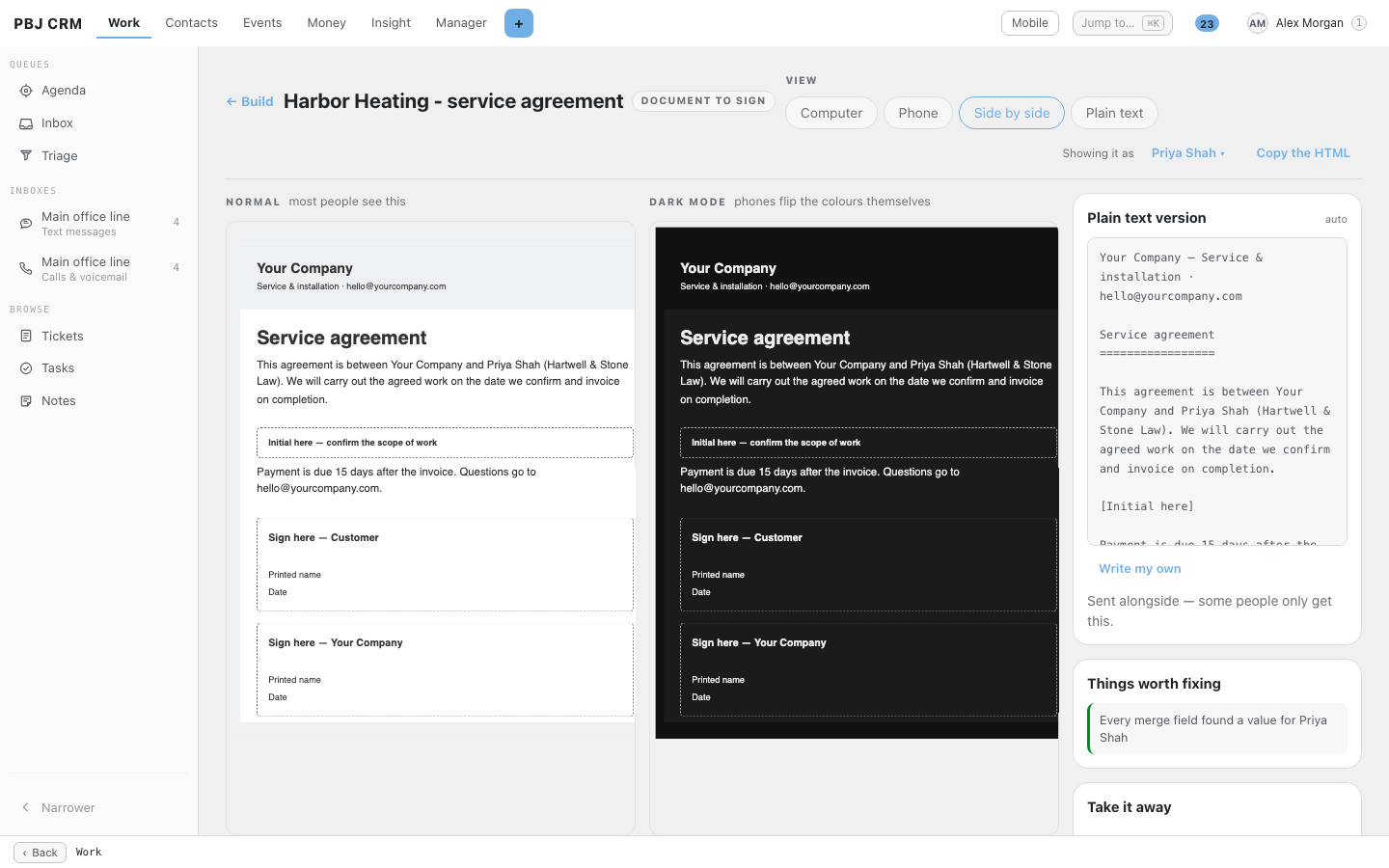
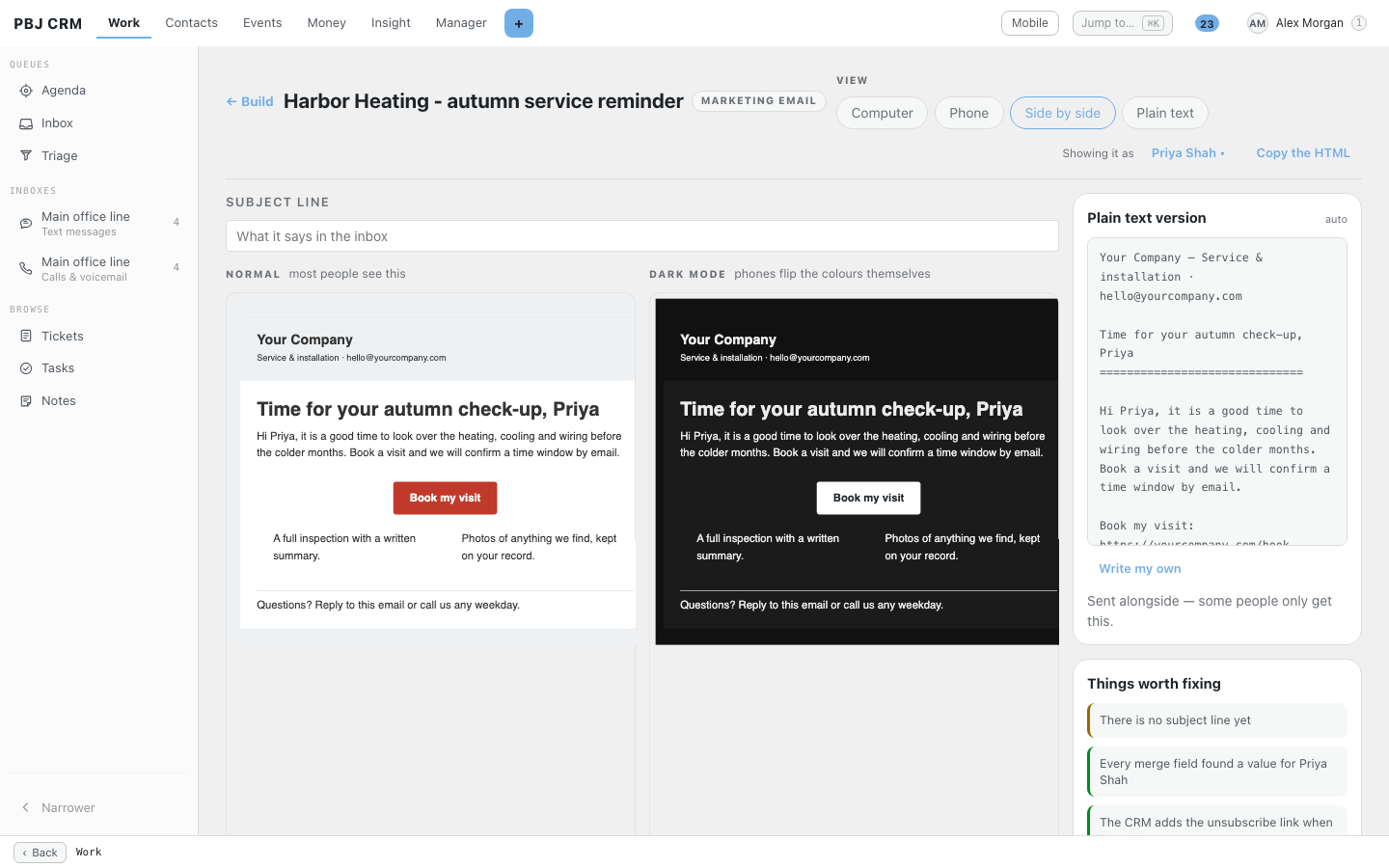
Preview on a computer, a phone and a phone in dark mode. It flags a photo with no description, a subject line a phone will cut off, or a field with nothing behind it.
One click to a campaign
In the preview, press Send it as a marketing email. The CRM’s send screen asks who gets it, what it says, who it comes from and when, and shows who will receive it and who is left out, with the reason. Sending uses a mailbox connected in the CRM.
Invoices on your letterhead
Lay out invoices and estimates with your letterhead, columns, totals and closing words; Letter or A4. Make a sample PDF prints your longest real invoice first, so you catch problems early. Needs PBJ Invoicing.
Contracts signed on a phone
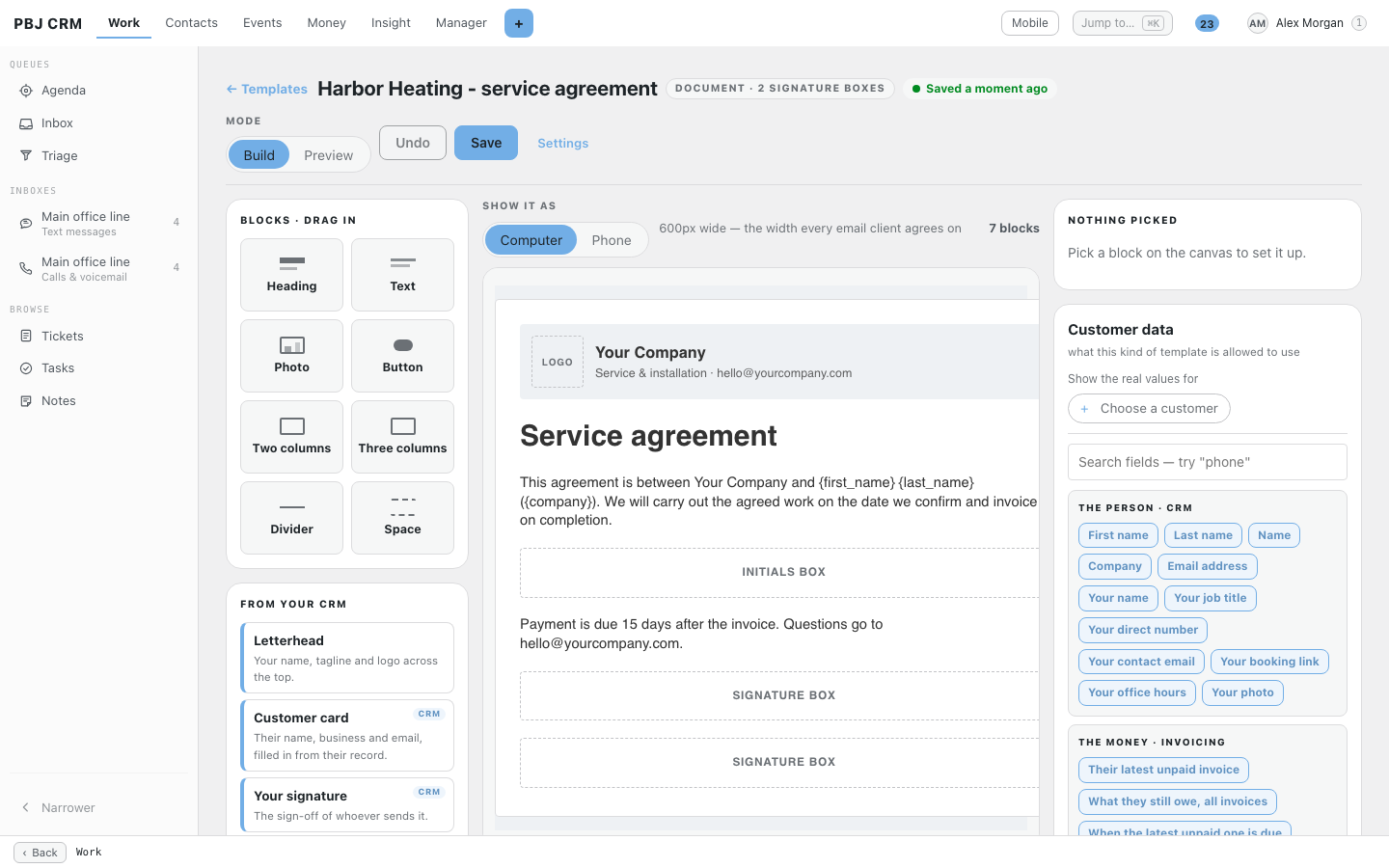
Drop signature and initials boxes into an agreement. From the customer’s record press Send a document to sign; they sign on their phone, the signed copy is filed against them, and the Documents tab shows where each one stands. The link goes only to the address on record and closes after 30 days.
One signature for the team
Build the sign-off once; each person’s name, title, number, email and photo fill in from their staff profile. Copy it into Gmail or Outlook in one press.
Notices and phones
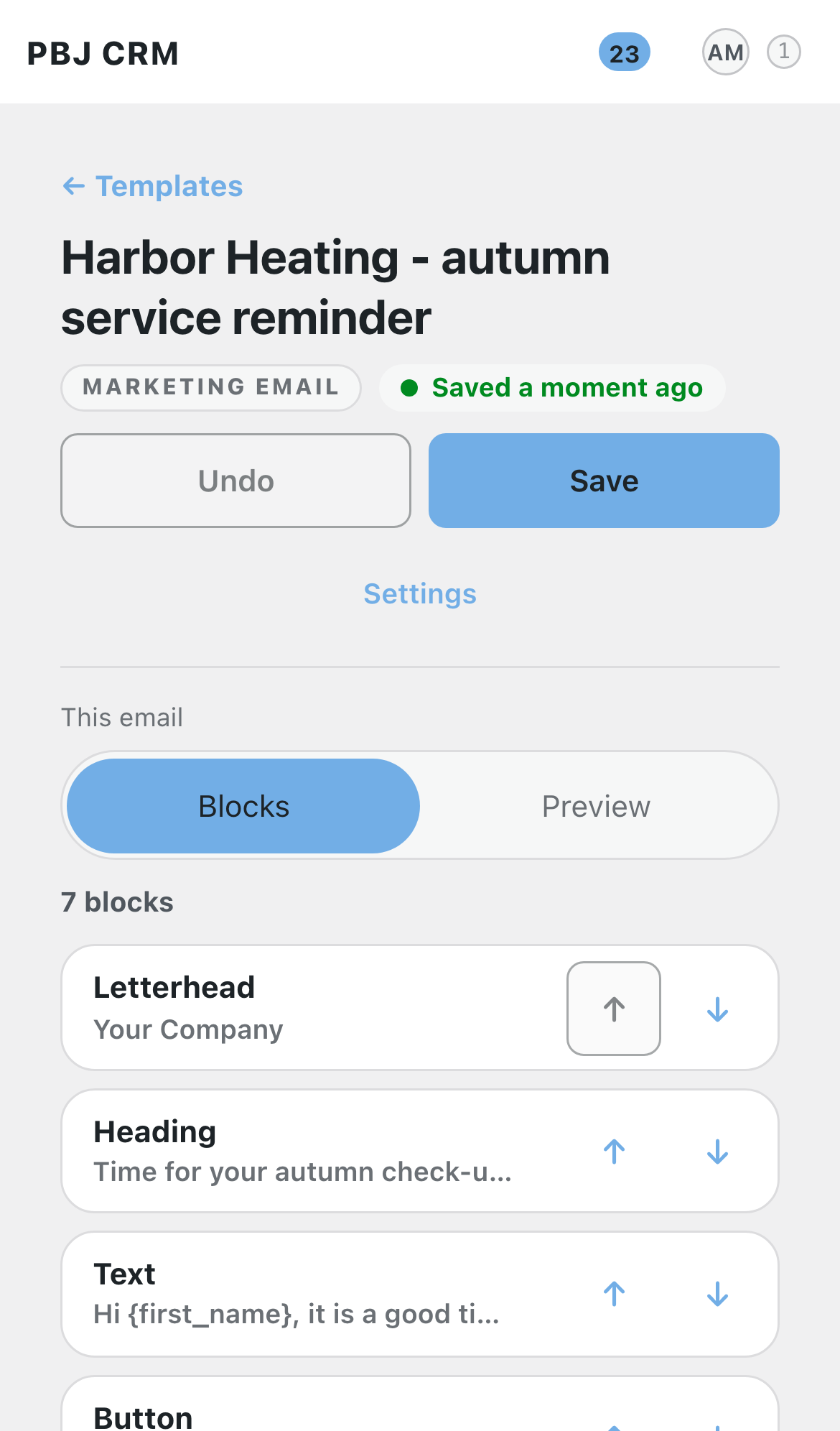
Ticket-closed, visit-reminder and invoice emails take your design when published, and go back to plain text if you unpublish. Build on a phone with Blocks and Preview tabs.
Works with the PBJ suite
Requires PBJ CRM (latest version), installed and active.
- PBJ Invoicing: invoice and estimate layouts, and the PDF of a signed document.
- PBJ Helpdesk: designed ticket notices, reply signatures, and marketing replies that become tickets.
- PBJ Dispatch & Appointments: designed visit confirmations and reminders.
Built for owner-run service businesses
Hospitality and venues
Build your marketing emails and send them now or at a time you pick.
Events and AV
Send contracts to sign; clients sign on a phone, filed back as a PDF.
Professional offices
Letterhead letters and documents to sign, filed back as a PDF.
Five everyday examples, step by step. Your own business will look different, but the pattern is the same.
A heating company designs its visit-reminder email once with its logo and the arrival-window block, and every reminder after that carries the customer’s name and time. A roofer builds a work authorisation with a signature box and an initials box, then presses Send a document to sign from the customer’s record; the customer signs on their phone and the signed copy is filed against them. In the van, the technician takes a photo, which goes into the customer’s file and the email in one press.
An IT firm writes its service agreement once, with a customer signature box and its own, and sends it from each new client’s record. Ticket-closed notices go out in the firm’s colours instead of plain text, and each engineer’s signature fills in their own name, title and direct number from their staff profile. A monthly marketing email to the saved list of clients with a service contract is built in the same designer, previewed in dark mode, and sent from the CRM.
A venue builds a private-event agreement with initials boxes beside the deposit and cancellation terms, and sends it to the organiser to sign on a phone. A seasonal offer goes to a saved list, with the screen showing exactly how many will receive it and how many are left out and why. A holiday-closing portal notice appears on the pages customers see, and the invoice layout carries the venue’s letterhead.
A firm lays out its engagement letter on its letterhead with the client’s name and company filled in from the record, and sends a signable engagement agreement with initials where the client must initial. Each partner’s signature fills in from their own profile, so a changed phone number is typed once. Invoice and estimate layouts match the firm’s paper, with Letter or A4, page numbers and a repeating header on page 2.
A production company builds a show agreement and a technical-rider acknowledgement as signable documents, then sends them from the client’s record, where the Documents tab shows who has signed. Estimates print on its own layout, previewed with a real long estimate first. The marketing email announcing a new season pulls photos from past shows straight from the customer files, each with a short description, and the crew can build or tweak an email from a phone.
One-time pricing
PBJ Templates: $25 one-time per major version. Free updates for that major version. One license key covers 3 sites.
Requires PBJ CRM (latest version): $50 one-time per major version, sold separately. Invoice layouts and signed-document PDFs also need PBJ Invoicing.
Getting started
- Install the hub first. Install and activate PBJ CRM (latest version), then install PBJ Templates from your download link.
- Open the library. Open Templates from the CRM Settings directory and press Make a template. Pick the kind, name it, and say who can change it.
- Design it. Drag in blocks, click customer fields to fill them in, set your colours, then check it in Preview on a computer, a phone and in dark mode.
- Publish it. Publish the template and, if you want, make it the default for its kind. Send a marketing email from its preview, or send a document to sign from a customer’s record.
- Enter your license key in Settings so updates reach you.
Buy PBJ Templates
$25 one-time per major version Includes a license key for 3 sites, instant download, and free updates within this major version. Requires PBJ CRM (latest version).