PBJ Helpdesk
A complete helpdesk — real email in and out, tickets, agents, SLAs, and a client portal — that lives entirely inside your own WordPress site.
$25 one-time — per major version Requires PBJ CRM 7.37+
What it does
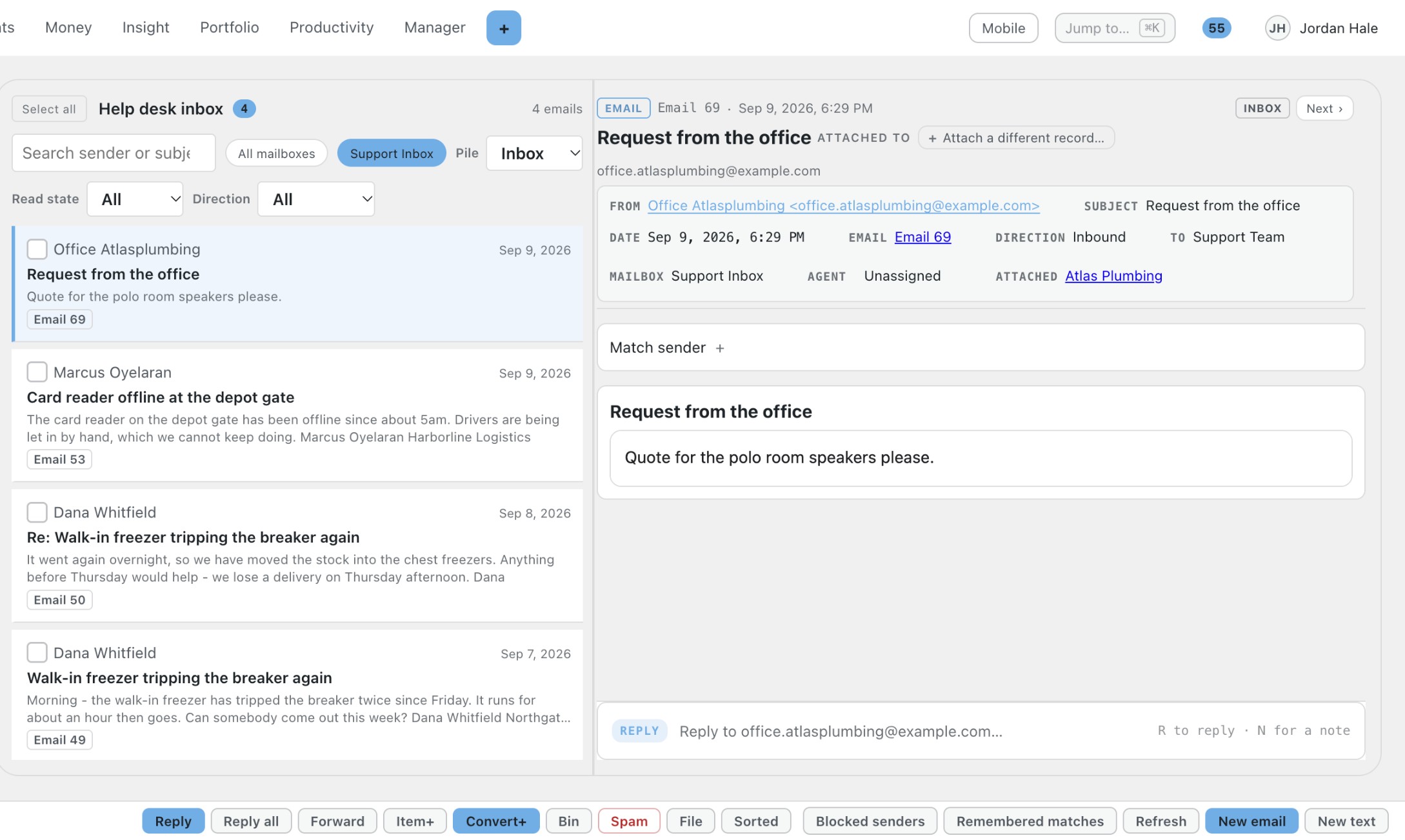
PBJ Helpdesk turns your support mailbox into a ticket queue inside PBJ CRM. New email arrives in a triage inbox, becomes a ticket with one click, and your replies go back out through your real mailbox so customers just reply to an email.
Your CRM staff are the agents, your CRM customers are the people who write in, and everything stays on your own WordPress site with no per-agent fee.
Features
Mail becomes tickets
- Collects mail from the mailboxes you connected once in PBJ CRM.
- New mail waits in a triage inbox with a one-click Convert to ticket.
- Only new mail is collected; nothing on your mail server is moved or deleted.
Replies that look like email
- Agent replies go out through your real mailbox with proper threading.
- Customers answer by simply replying to the email.
- Replies to an existing ticket attach themselves to it.
Tickets know whose they are
- Each ticket belongs to a business, a person or one of your own team.
- Mail from known senders files itself against the right customer.
- Fix a wrong match once and the correction is remembered.
Your staff are your agents
- CRM employees work tickets, managers also run groups, owners configure everything.
- No second staff list to keep in step.
- Quietly claim a ticket, and the assigned agent is told when the client replies.
Categories, priorities and checklists
- Categories with their own status paths, such as New, Pending, Closed.
- Priority on every ticket, from normal to urgent.
- Tick-off checklists inside a ticket, and saved canned replies.
Response and resolution targets
- Set how fast you aim to reply and to resolve.
- See a countdown on each ticket and who is running late.
- Escalation when a target is about to be missed.
Spam and tidy mail
- A “Spam / not work related” button that also blocks the sender, reversibly.
- Old mail is filed away automatically and spam is cleared.
- Any email that became a ticket is kept.
A portal for your clients
- Clients can see their own tickets through a sign-in link.
- Every reply carries the portal link and their personal sign-up link.
- You choose which customers to invite.
Manage and report
- A bulk screen to sort, assign and close many tickets at once.
- Merge duplicate tickets, with a 30-day undo.
- Reports on volume, first reply, resolution time and workload for the dates you choose.
Screenshots
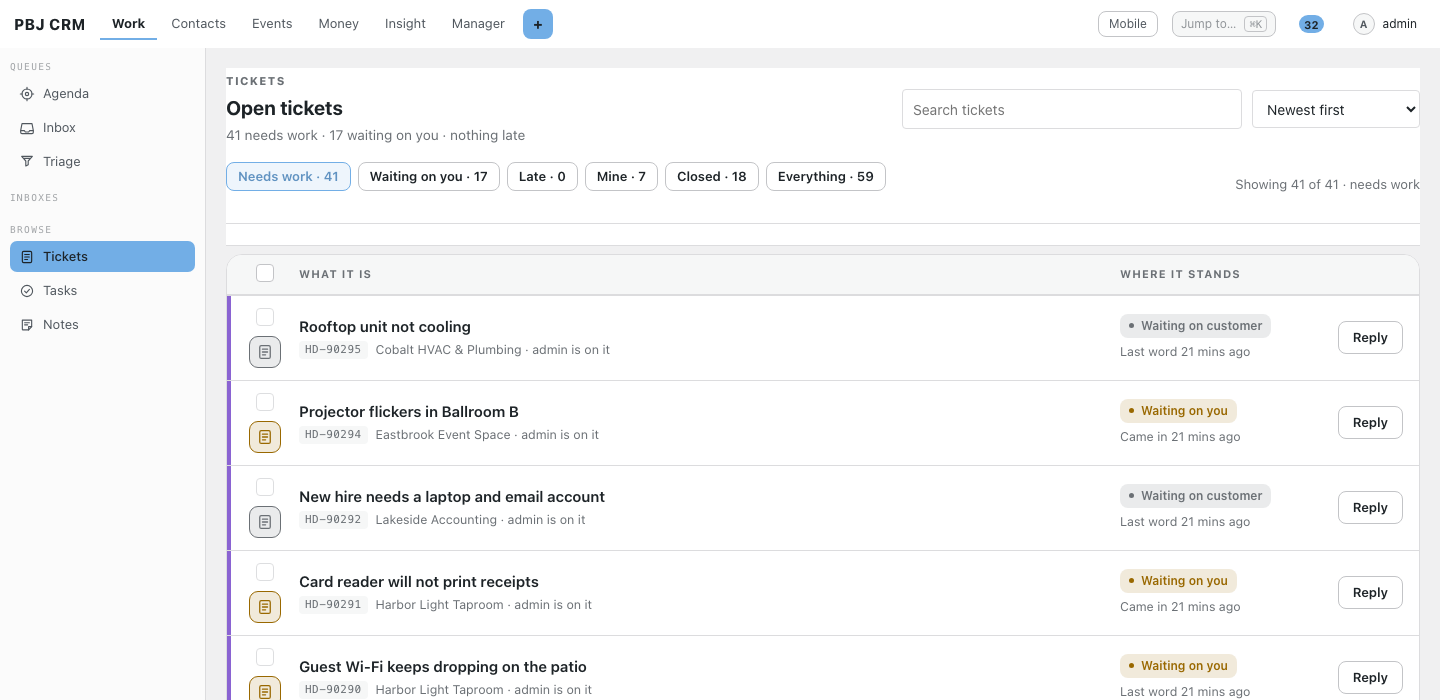
Real screens from PBJ CRM with sample customers. Names, emails and phone numbers are made up.
The queue shows at a glance who needs to answer next.
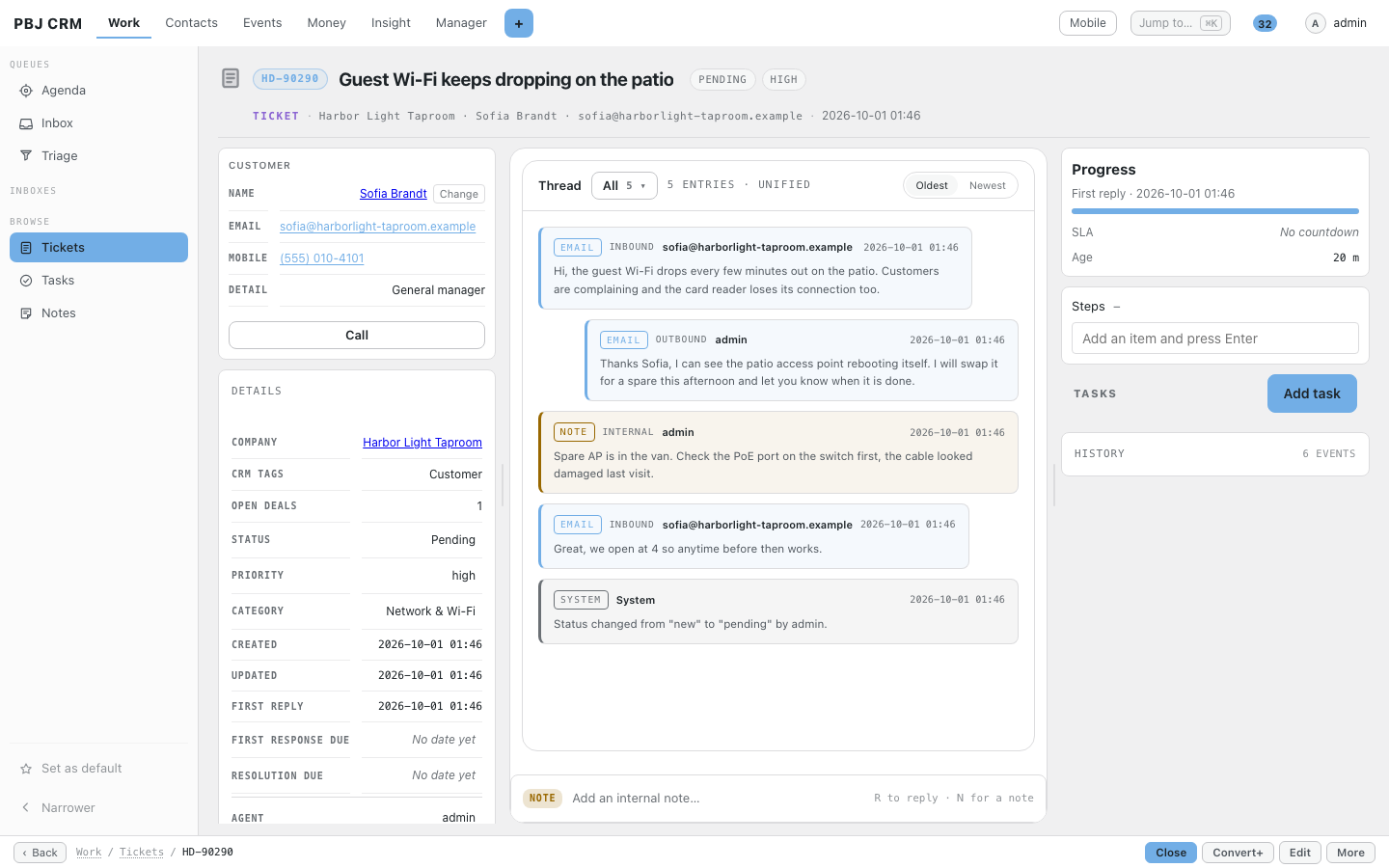
Customer emails, your replies and private notes in one thread.
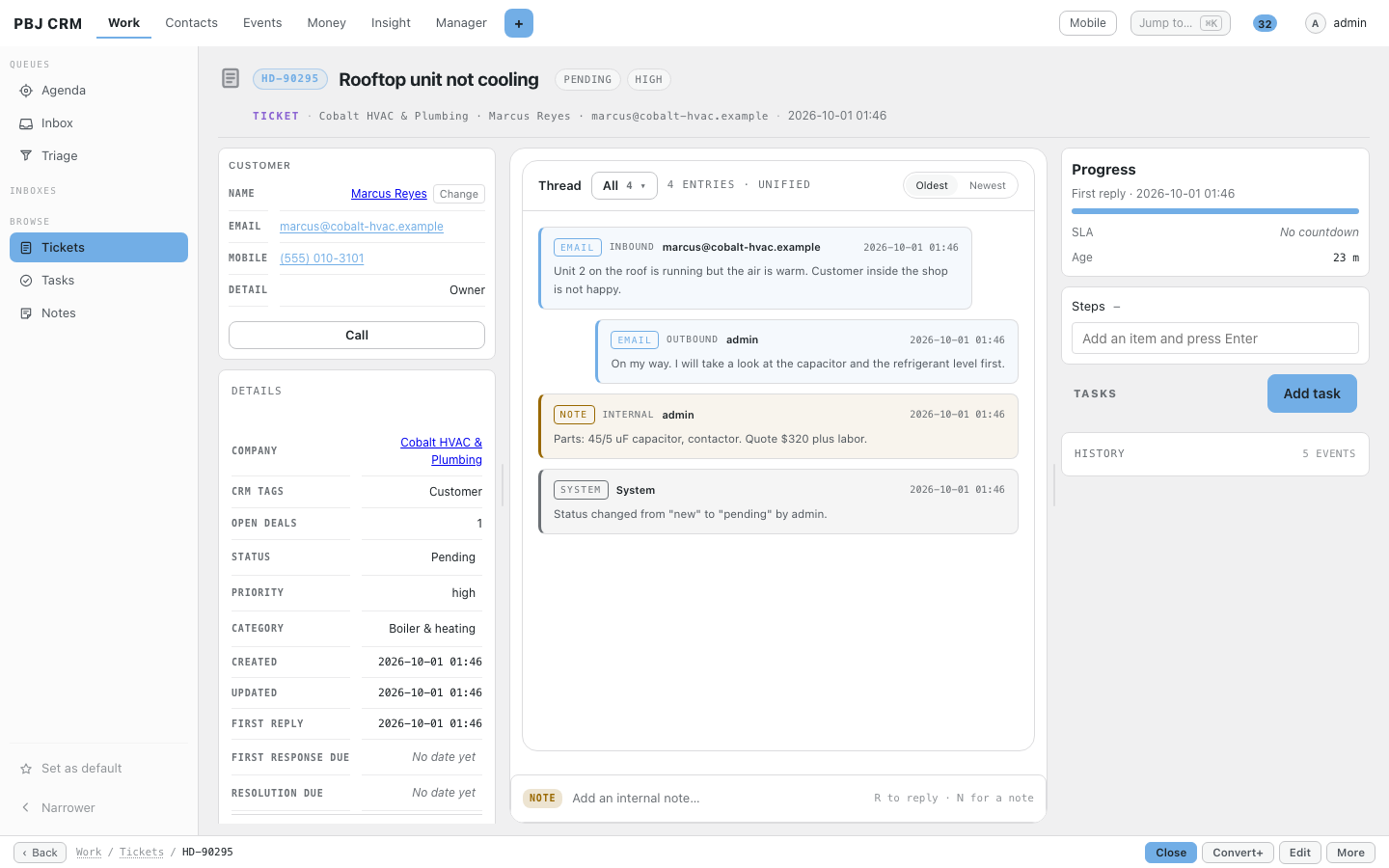
Customer, company, priority and category beside every ticket.
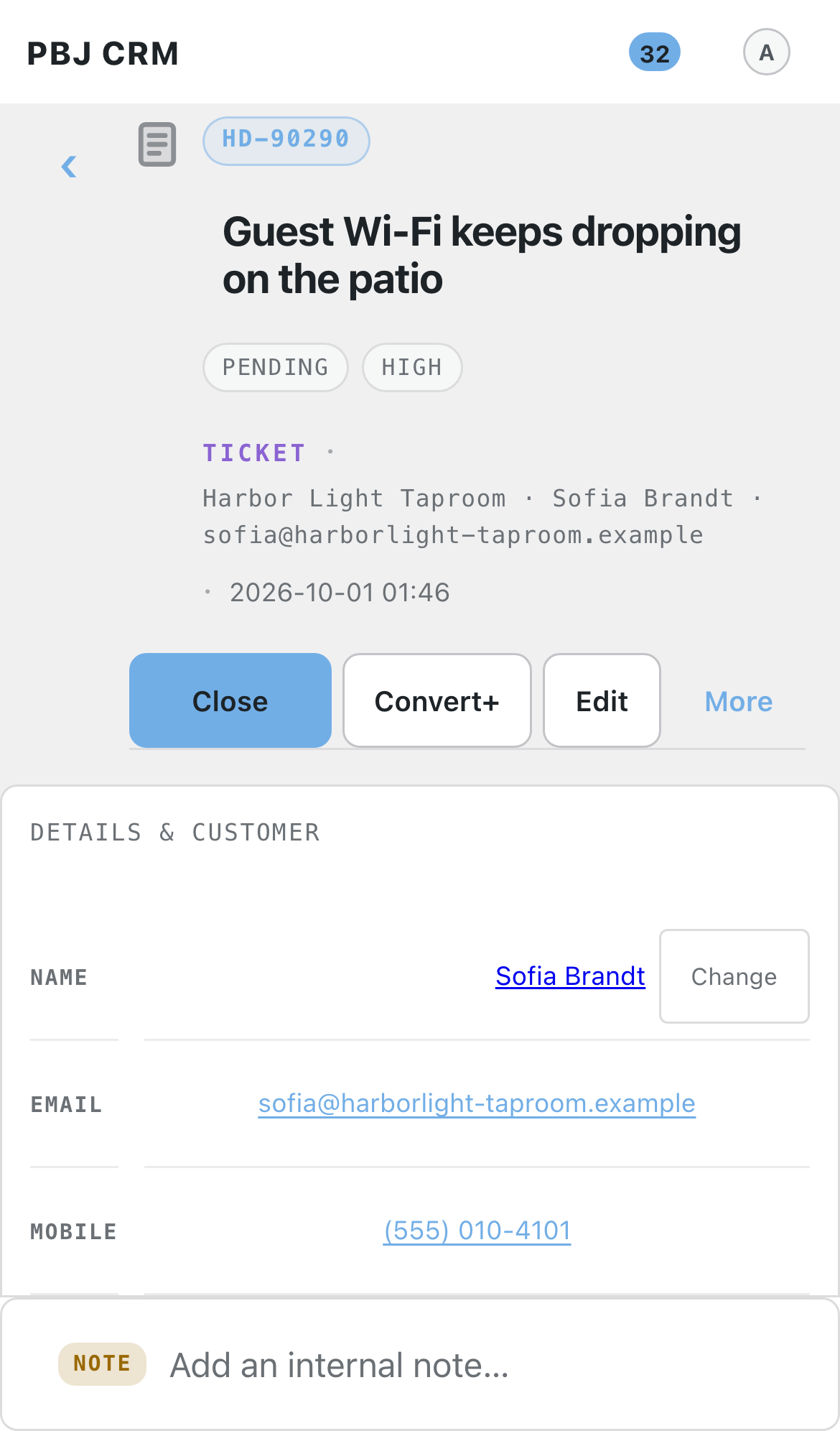
Answer tickets from your phone.
New mail becomes a ticket with a priority.
How it helps your business
Five everyday examples, step by step. Your own business will look different, but the pattern is the same.
Trades and field service
A customer emails that the rooftop unit is not cooling. The message lands in triage, you convert it to a ticket, and it files itself against the customer’s record because the address is known. You reply with the time you are coming, add an internal note about the part you need, and the customer’s answer threads back into the same ticket. Close it when the job is done.
Managed IT and tech support
Staff at a client company email about a new hire who needs a laptop and an account. You set its category and priority, a checklist covers imaging, accounts and the welcome email, and your target for the first reply starts counting down. When a target is about to slip, escalation brings it to a manager.
Hospitality and venues
A bar manager reports that the card reader will not print receipts. You convert the email, mark it urgent and claim it quietly so the others know it is taken. You reply from the same mailbox you always use, and the manager sees a normal email thread rather than a support portal.
Professional offices
A partner’s assistant emails that the document scanner stopped working. The ticket is filed under the firm, answered by the agent who handles that office, and everything said, including private notes, is kept with the ticket. The monthly report shows how quickly each request was answered.
AV, music and events production
A venue writes at 4 pm that the ballroom projector flickers before Saturday’s conference. It arrives as an urgent ticket from a known customer, you reply with the plan and add the visit to the checklist. Afterwards the full email trail is on the ticket if there is any question about what was promised.
Works with
PBJ Helpdesk is a module of PBJ CRM and needs it installed. It shares the CRM’s staff, customers, connected mailboxes and theme, so nothing is set up twice. These other PBJ modules also need PBJ CRM and sit alongside it:
PBJ Helpdesk — mail-to-ticket support with response targets and a client portal.
PBJ Invoicing — estimates, invoices, card payments and repeat billing.
PBJ Vault — an encrypted cabinet for door codes, network details and licence keys.
PBJ Dispatch & Appointments — book visits and appointments and work them through to done.
PBJ RingCentral — your RingCentral texts, calls and voicemail beside the customer.
PBJ Templates — one designer for emails, notices, invoice layouts and documents to sign.
PBJ Omada — TP-Link Omada network alerts, device status and Help Desk tickets on the client record.
One-time pricing, spelled out
PBJ Helpdesk is $25, one time, per major version. You are buying this major version: every improvement within it arrives free through the built-in update channel. A future major version is a separate purchase if you want it — your copy keeps working either way. One license key covers 3 sites.
Requires PBJ CRM 7.37 or newer ($50, sold separately). The helpdesk is a module of the CRM: it shares the CRM’s staff, customers, mailboxes and theme, so nothing is ever set up twice.
Using it
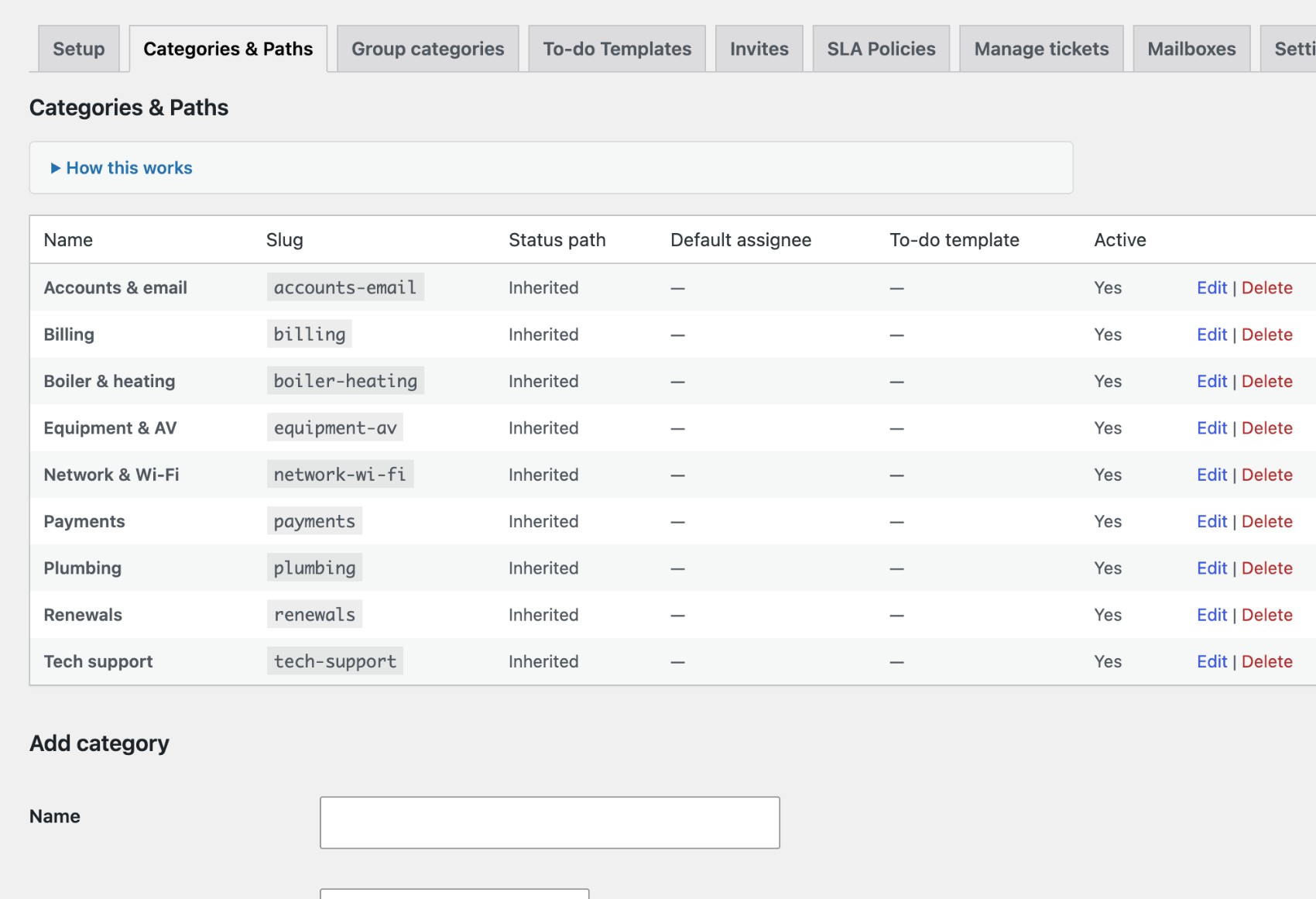
Install: install and activate PBJ CRM first, then Plugins → Add New → Upload → pbj-helpdesk.zip → Activate. The helpdesk appears inside the CRM: tickets live under Tickets in the CRM portal, and the helpdesk’s settings — groups, categories and status paths, SLA policies — sit in the CRM’s Settings directory.
Collect mail: connect the mailbox once in PBJ CRM → Connected accounts, then on the helpdesk’s Mailboxes tab press "Collect mail into tickets from this one". Only NEW mail arriving in the inbox is ever collected — nothing on your mail server is moved, flagged or deleted.
Day to day: your team works the queue at /crm under Tickets; clients use the portal link in any reply email. Enter your license key under Settings for updates.
Buy PBJ Helpdesk
$25 one-time — per major version Includes a license key for 3 sites, instant download, and free updates within this major version. Requires PBJ CRM 7.37 or newer.