PBJ Dispatch & Appointments

Book somebody in — a visit to a customer, or an appointment at your place — and work it through to done, without leaving the CRM you already run your business on.

$25 one-time — per major version   Requires PBJ CRM 1.10.0+

What it does

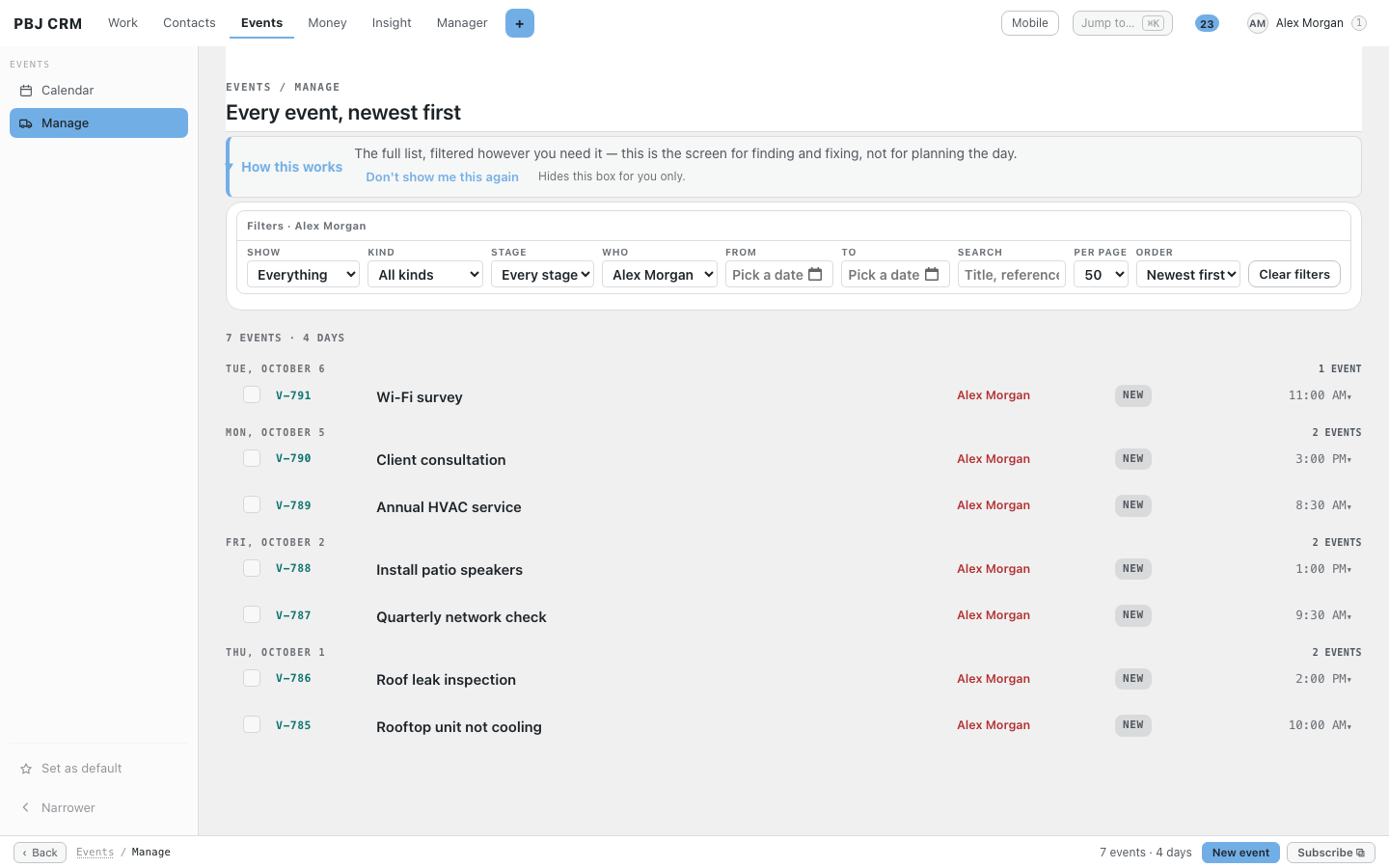
One record with a switch. A visit is when you go to them. An appointment is when they come to you. Everything else about the two is identical, so there is one form, one list, one detail screen and one number to quote down the phone. No second system for shop jobs that everybody forgets to update.

One run of numbers across both kinds. V-1, V-2, V-3. Not DSP-1 alongside APT-1. Nobody has to know which kind a booking is before they can look the number up — which matters the moment somebody rings and says “I am calling about V-14.”

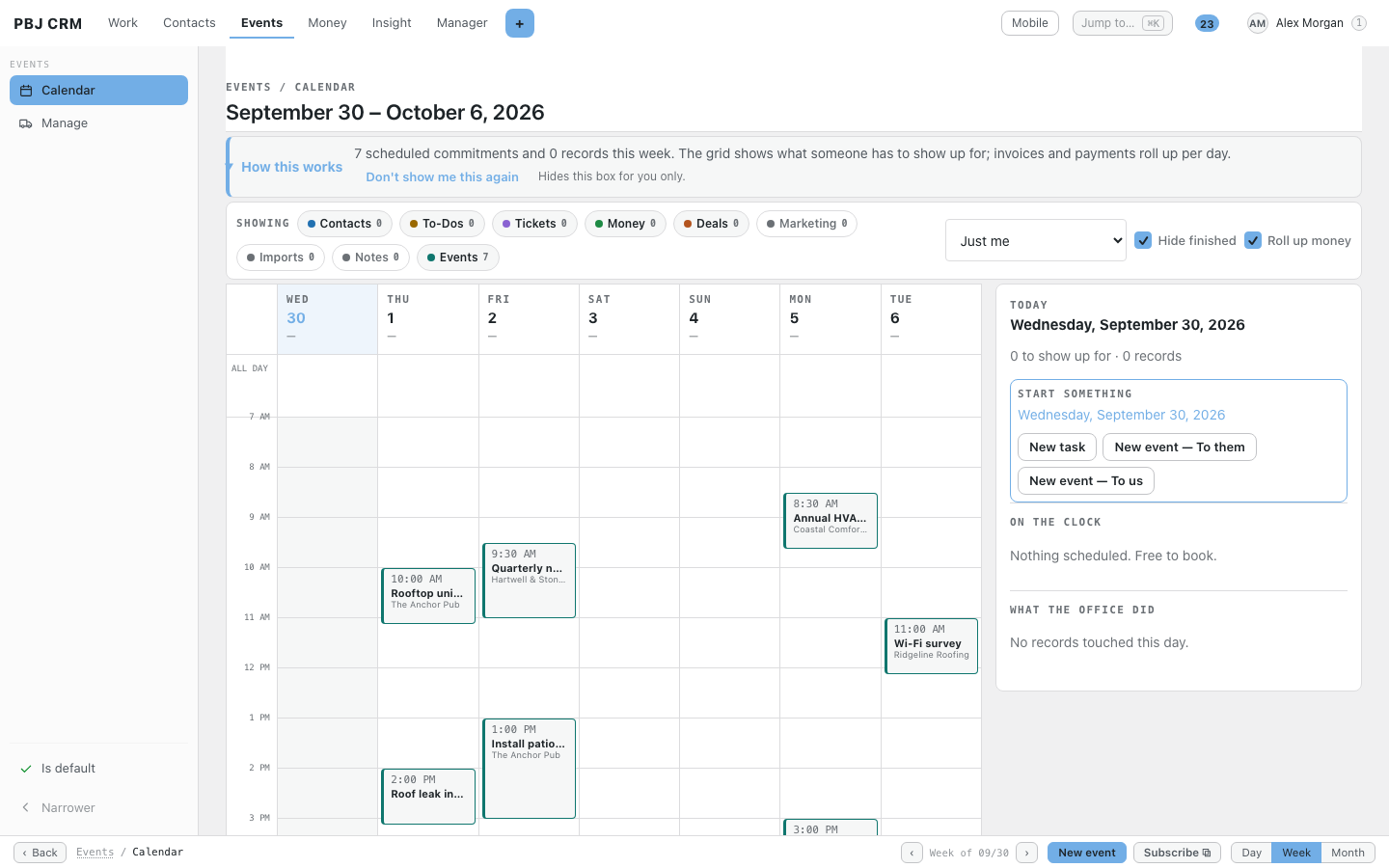
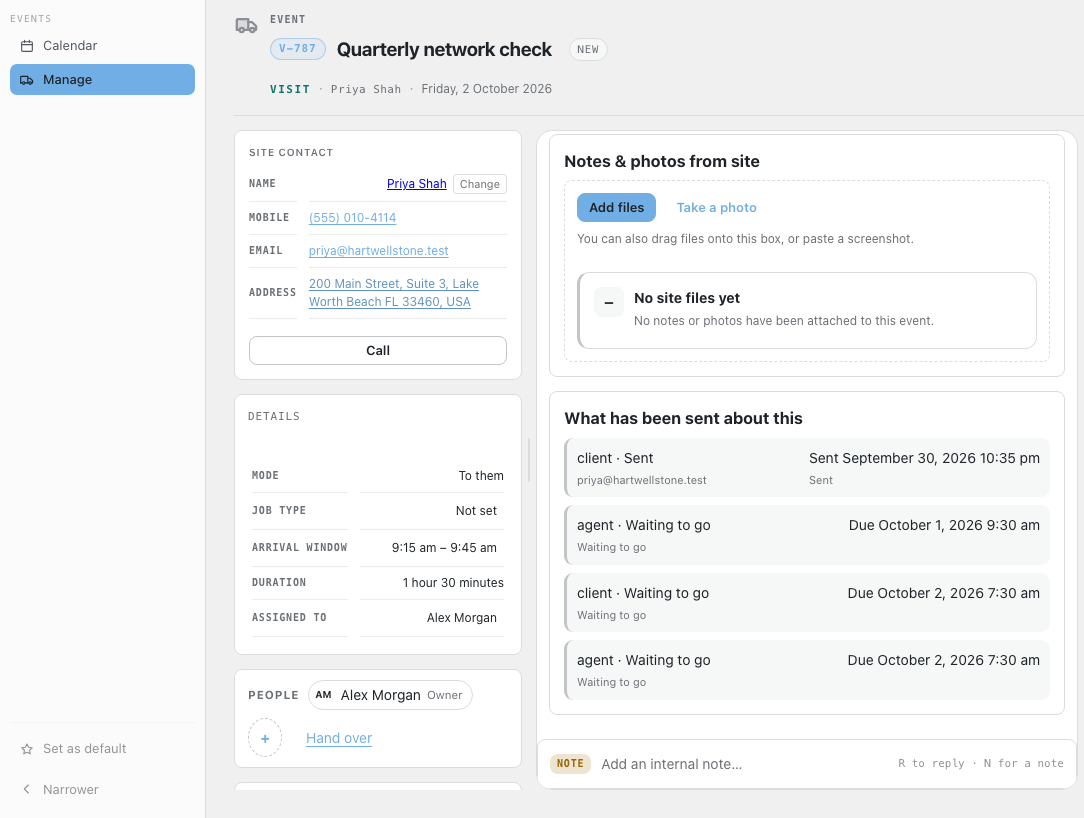
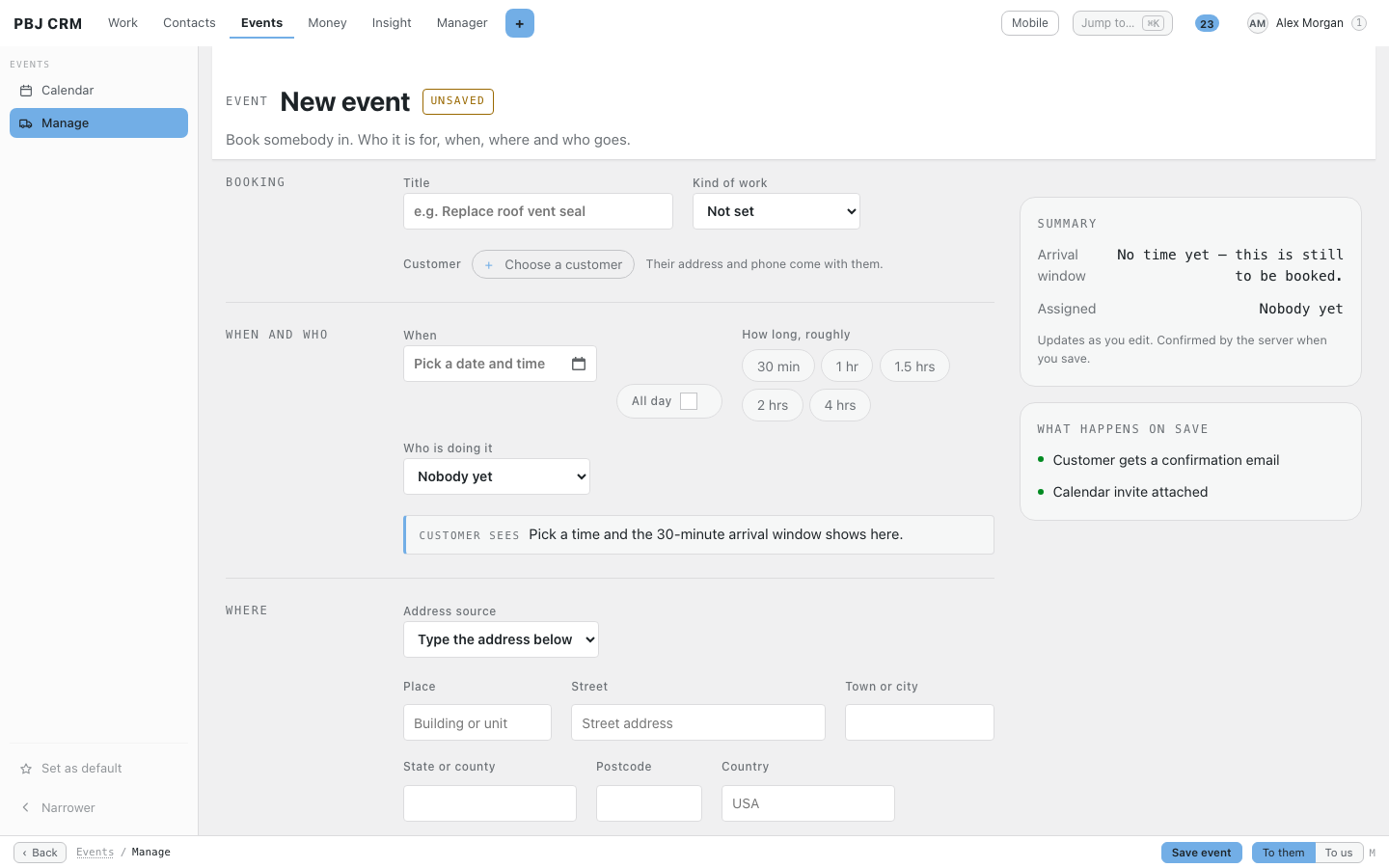
You book a time; everybody is told a window. Set how wide the window is once — thirty minutes to start with — and every screen and every email says that window, centred on the time you picked. Book two o’clock and the customer is told quarter to two until quarter past. Set the width to zero and everybody is told the exact time instead. One number, set once, and nobody is ever told “sometime Tuesday.”

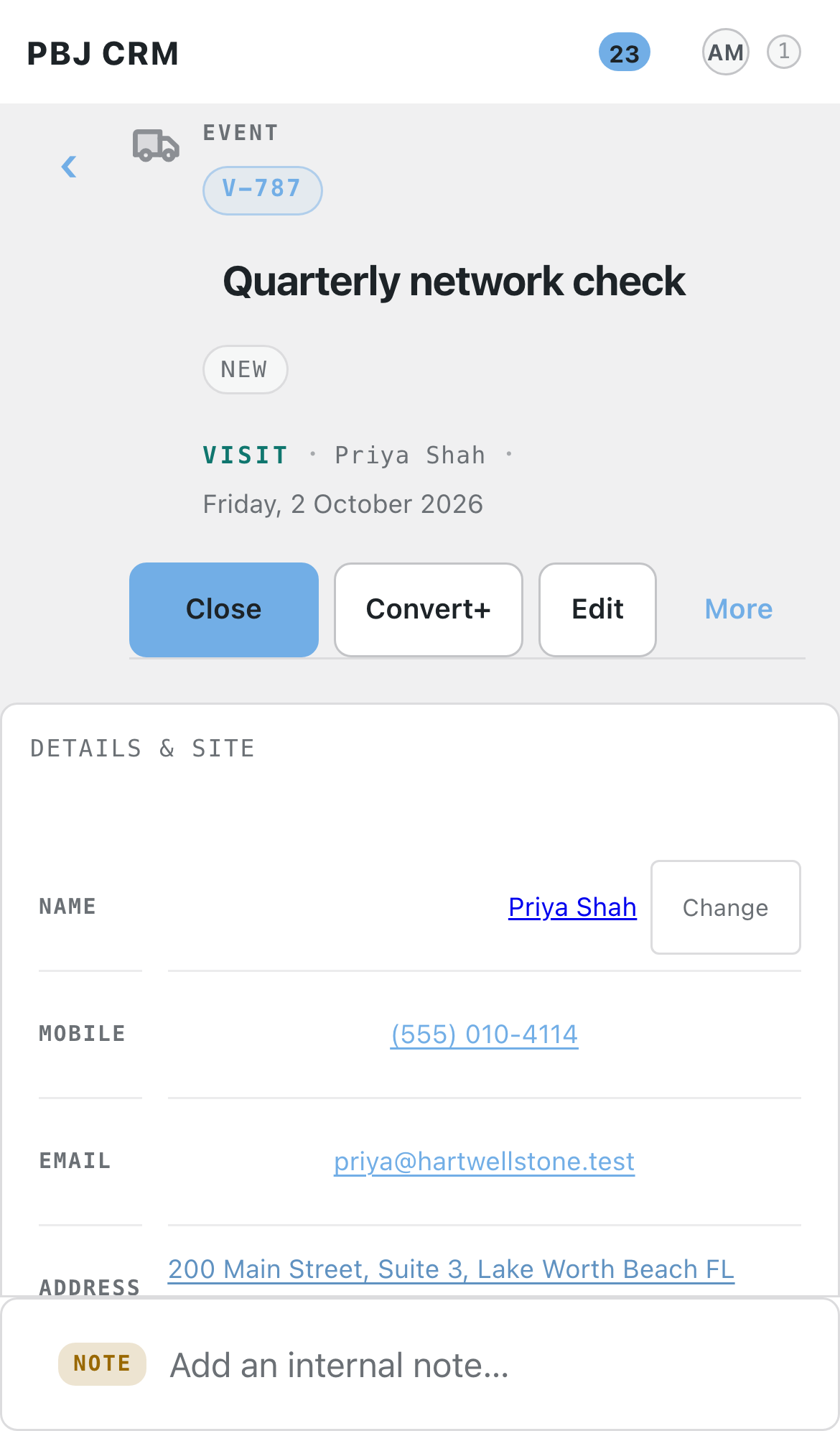
Where, written down at the time. The address is copied onto the booking when you make it, not looked up later. Somebody correcting a customer’s postcode on Tuesday afternoon does not silently move Monday’s job. Gate codes, “park on the verge”, “round the back through the yard” — all of it sits on the job, where the person driving there will read it.

Stages in your words. New, Booked in, On the way, On site, Done, Cancelled out of the box — and rename every one of them to whatever your team actually says. What a stage means is set separately from what it is called, so you can call the finished one “Signed off” and the lists and counts still know the job happened.

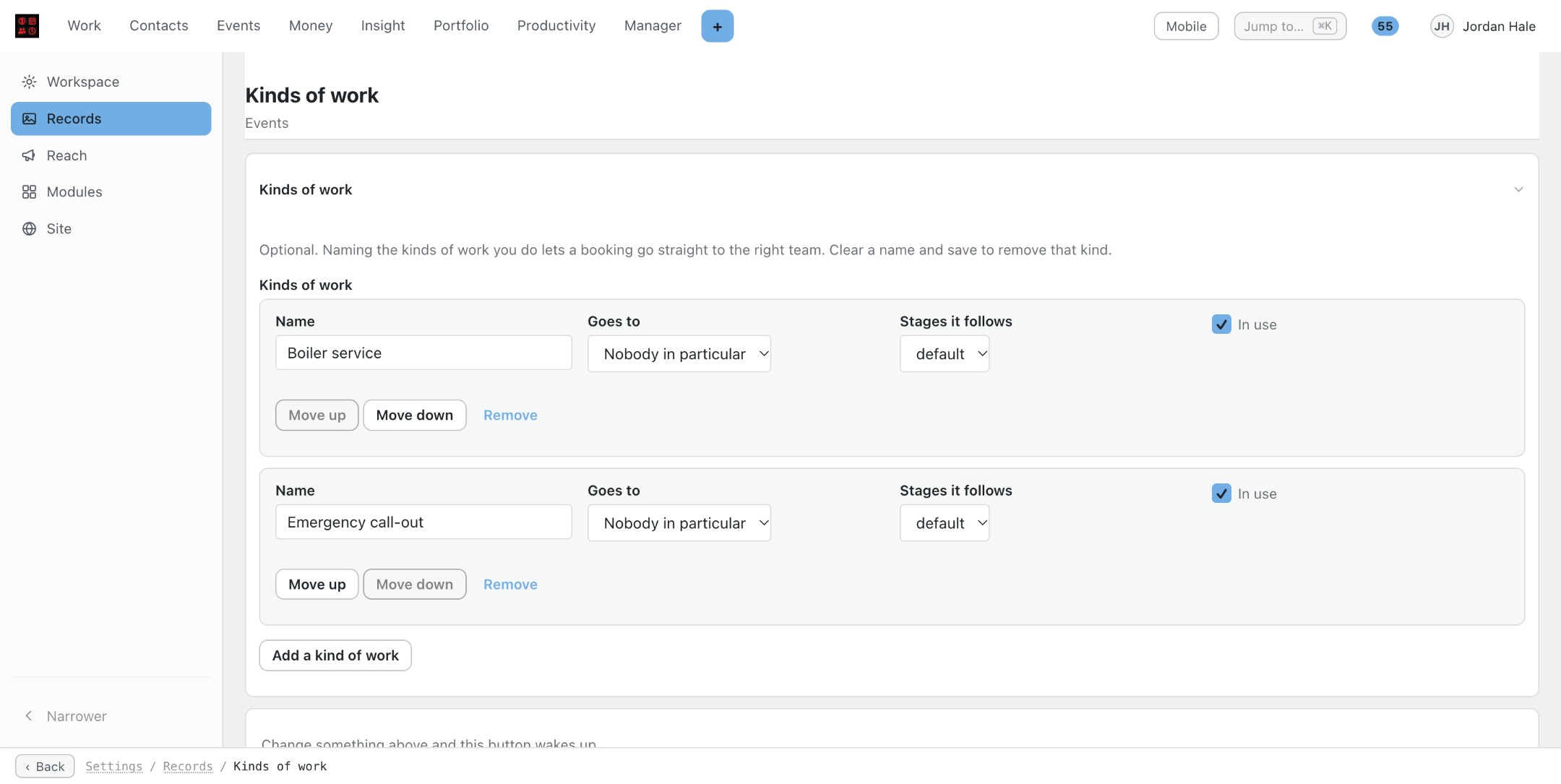
Kinds of work that route themselves. Optional, and a one-van business never needs to touch it. Name the kinds of work you do — service call, quote, install, warranty — and each one can go straight to the right team and follow its own set of stages.

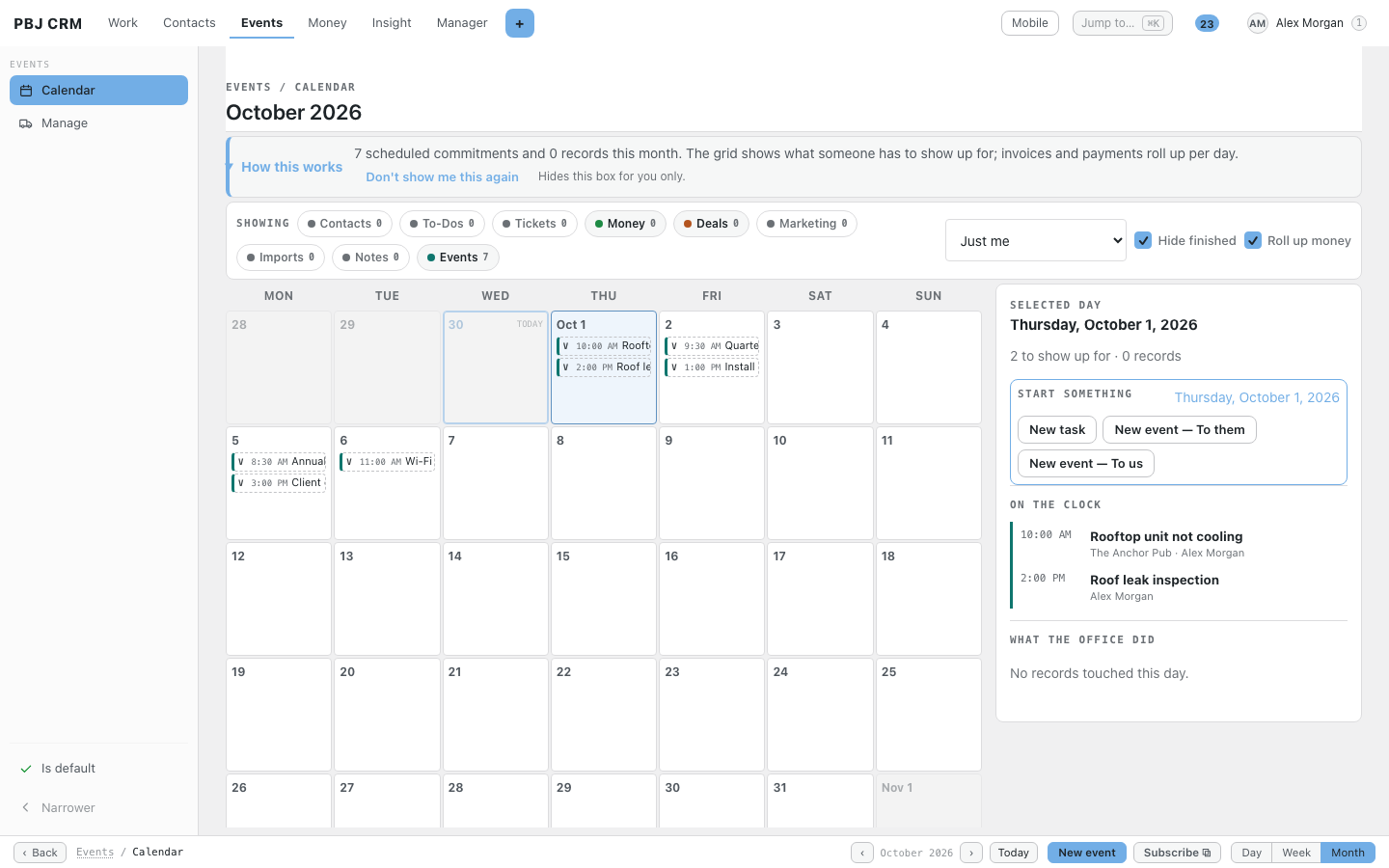
A screen for 7:40 in the morning. The portal section opens on Today: your jobs, in time order, with the window, the customer, the address and one tap to move a job to “On the way” or “On site”. Then Next 14 days, To be booked for work with no time on it yet, and Nobody on it for work waiting for a person. It is a web page, so it works on the phone in the van without anybody installing anything.

Pick up the next job without phoning the office. An unassigned job sitting in your team has an “I will do it” button. Managers hand work out; anybody can claim work nobody has taken.

Notes the customer can see half of. Every job has a timeline. Notes are internal by default or marked so the customer can read them, and the timeline records every stage change, every hand-over and every time the booking moved, with who and when.

Who sees what comes from the CRM. No second staff list and no second set of roles. Employees see their own work and their team’s. Managers see the teams they run. Owners see everything. The customer, signed into the portal, sees their own booking and nothing else — never who is coming, never the internal notes. Enforced in the database query, not by hiding buttons.

A tab on the customer’s own record. Open a person or a business in the CRM and their visits and appointments are right there, past and upcoming. Settings live on their own screen inside the CRM — there is no extra menu item to hunt for.

What version 1.0 does not do

Straight answer, so nobody buys the wrong thing. Version 1.0 books work, assigns it, moves it through stages and keeps notes on it. It does not do these yet:

  1. Reminder emails or texts. Nothing is sent to the customer or the engineer automatically. The ledger that will record sends exists in the database; nothing writes to it in 1.0.
  2. Calendar (.ics) invites. There is no invite to add to Outlook, Google Calendar or a phone.
  3. Map links. The address is on the job in plain text; there is no “open in maps” button.
  4. Turning a support ticket into a visit. PBJ Helpdesk tickets and Dispatch visits do not hand off to each other.

All four are planned phases, and they are named as phases rather than implied. If any of them is the reason you are buying, wait for the release that carries it.

One-time pricing, spelled out

PBJ Dispatch & Appointments is $25, one time, per major version. You are buying version 1: every 1.x improvement arrives free through the built-in update channel. A future major version (2.0) is a separate purchase if you want it — your copy keeps working either way. One license key covers 3 sites.

Requires PBJ CRM 1.10.0 or newer ($50, sold separately). Dispatch is a module, not a standalone product. There is no standalone mode: without the CRM it does not half-work, it tells you it needs the hub. The people, the businesses, the teams and the permissions are all the CRM’s — there is no second list of anything to keep in sync.

Who it’s for

Trades businesses — HVAC, plumbing, electrical, pest control, locksmiths, glazing — anybody whose work happens at somebody else’s address; repair shops and service counters where the customer brings the thing in; IT and AV companies doing a mix of both, on-site calls and bench work; and anybody already running PBJ CRM whose scheduling currently lives in a whiteboard, a group chat, or somebody’s head.

Using it

  1. Install the hub first. Install and activate PBJ CRM 1.10.0 or newer, then upload pbj-dispatch.zip and activate it.
  2. Set the arrival window once. Open the Dispatch settings screen inside the CRM and set the window width — 30 minutes is the starting value. Set it to 0 and everybody is told the exact time instead.
  3. Book something in. In the portal, open Visits, press “Book something in”, pick visit or appointment, type what it is, pick a time, pick who it is for and who is doing it. It comes back as V-1.
  4. Work it through. On the day, the engineer opens Today on their phone and taps On the way, then On site, then Done.
  5. Enter your license key. Put the key from your purchase email on the plugin’s settings screen so updates reach you.

See it

A booked visit in the PBJ CRM portal: V-9, an arrival window of 1:45 pm to 2:15 pm around a 2:00 pm booking, the address with driver notes, and the stage buttons

Buy PBJ Dispatch & Appointments

$25 one-time — per major version   Includes a license key for 3 sites, instant download, and free 1.x updates. Requires PBJ CRM 1.10.0 or newer.

Secure one-time purchase of PBJ Dispatch & Appointments (version 1) for $25 USD. One-time payment per major version — every 1.x update is free through the built-in updater, and your license key covers 3 sites. Requires PBJ CRM 1.10.0 or newer. Pay by card below; your download link and license key are emailed and shown instantly.

Amount: 25.00 USD